App Mockup Videos for Social Media: The Complete Guide
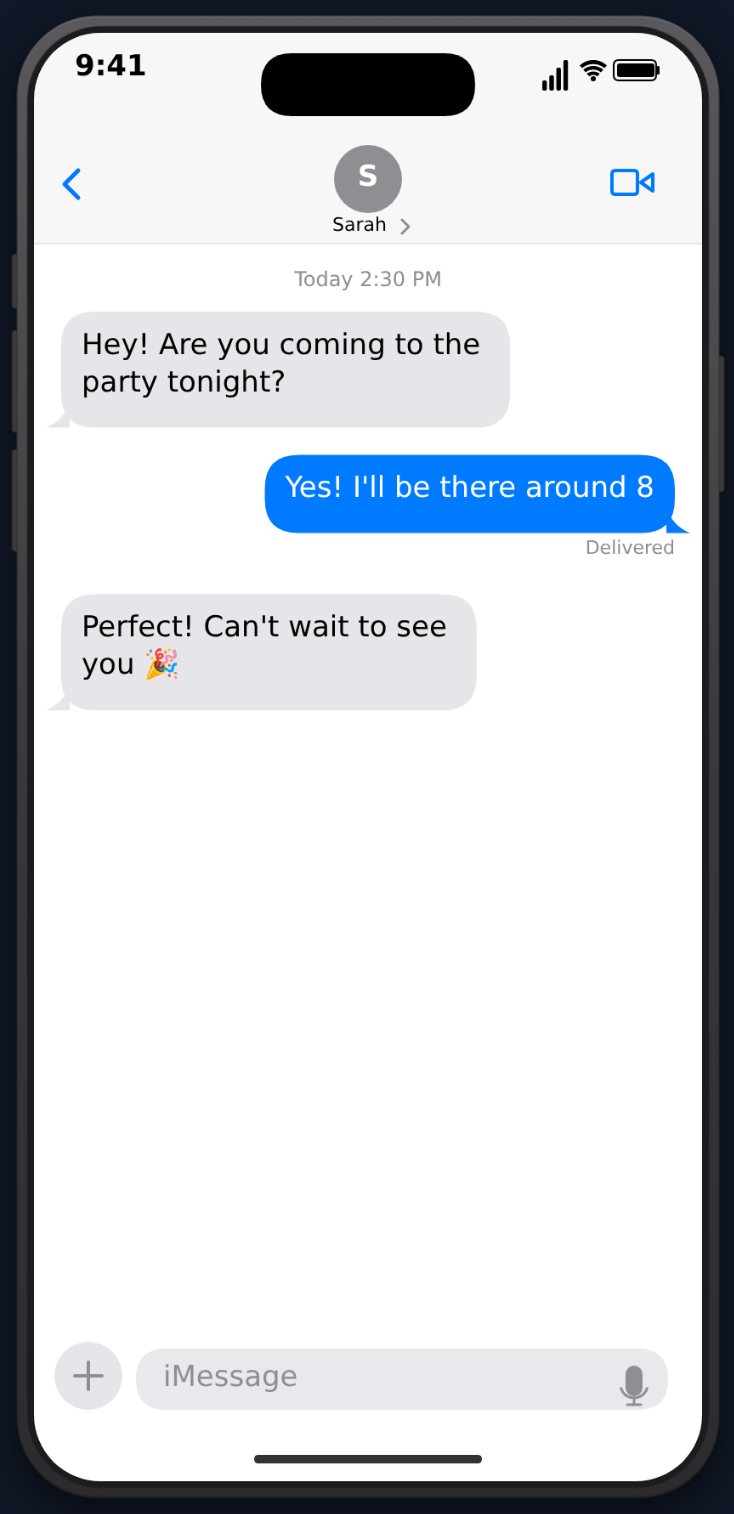
App mockup videos have become one of the most effective content formats on social media. From fake ChatGPT conversations to dramatic iMessage threads, these animated phone simulations consistently outperform static content — and they're surprisingly easy to make.
 This guide covers everything: what app mockup videos are, why they work, which templates to use, and how to create them for every major platform.
What Are App Mockup Videos?
An app mockup video is an animated simulation of a smartphone app's interface. Instead of screen recording a real app, you script and animate the content yourself. This gives you complete control over:
- What messages appear and in what order
- Typing animations, read receipts, and UI details
- Timing and pacing of the entire sequence
- Sound effects and visual polish
The result looks like someone recorded their real phone screen — but everything is scripted for maximum entertainment value.
Why App Mockup Videos Work on Social Media
They Feel Authentic
The phone UI is familiar. When viewers see an iMessage bubble or a ChatGPT response streaming, their brain processes it as "real" even when they know it's scripted. This authenticity creates emotional engagement.
They Create Suspense
Animations unfold over time. Each new message, each typing indicator, each swipe builds anticipation. Viewers stay to see what happens next — which directly boosts your watch time metrics.
They're Algorithm-Friendly
High watch time and completion rates signal quality to algorithms. Because mockup videos naturally hold attention through progressive reveals, they tend to get strong algorithmic distribution on TikTok, Reels, and Shorts.
They're Accessible to Create
You don't need filming equipment, actors, locations, or editing skills. All you need is a good idea and a tool like MockClip.
Available Templates
MockClip offers templates for the most popular app formats:
ChatGPT Conversations
The most viral app mockup format right now. Create scripted AI conversations with realistic streaming text, thinking animations, and the authentic ChatGPT dark theme.
Best for: Comedy, storytelling, educational content, "I asked AI to..." format.
iMessage Conversations
The classic text conversation format. Green and blue bubbles, typing indicators, read receipts, and the native iOS look.
Best for: Storytime content, drama, comedy, relationship content.
WhatsApp Conversations
WhatsApp's distinctive UI with double-check read receipts, green accent colors, and the chat bubble style used by billions worldwide.
Best for: International audiences, group chat scenarios, family drama content.
Instagram DM Conversations
Instagram's direct message interface with the gradient message bubbles and familiar layout.
Best for: Influencer content, brand interaction skits, celebrity DM scenarios.
Create an Instagram DM video →
Tinder Swipe Sequences
Animated profile cards with swipe left/right mechanics. Each card shows a photo, name, bio, and distance.
Best for: Character ratings, comedy bios, themed dating scenarios, audience engagement.
Reddit Posts
Reddit-style posts with upvotes, comments, and the distinctive Reddit UI.
Best for: Storytime, AITA scenarios, advice threads, opinion content.
Platform-Specific Tips
TikTok
- Length: 15-30 seconds for maximum completion rate
- Format: Vertical (MockClip exports in phone format)
- Audio: Add trending sounds in the TikTok editor after importing your MockClip export
- Hook: First 2 seconds must grab attention — start with the prompt/question, not a title card
Instagram Reels
- Length: 15-30 seconds (same as TikTok)
- Captions: Add text overlay with your hook since many watch without sound
- Hashtags: Use format-specific tags: #fakechatgpt, #textmessagestory, #faketinder
- Covers: Choose a compelling frame as your Reel cover for grid aesthetics
YouTube Shorts
- Length: Can be slightly longer (30-60 seconds) — YouTube audiences are more patient
- Titles: Descriptive titles matter more on YouTube for search discovery
- Series: YouTube rewards consistency — create a series format you can repeat
Monetization Strategies
Creator Fund / Monetization Programs
High view counts from viral mockup videos qualify you for TikTok's Creator Fund, YouTube Shorts monetization, and Instagram bonuses.
Brand Deals
Consistent viral content attracts brand partnerships. App mockup creators with 50K+ followers regularly land sponsorship deals.
Templates and Tutorials
If you develop expertise, create tutorial content teaching others how to make these videos. Meta-content about content creation performs well.
Niche Accounts
Build a themed account (e.g., "AI Conversations Daily" or "Tinder for Fictional Characters") and grow a dedicated following in that niche.
Getting Started
The fastest path from idea to published video:
- Pick a template at mockclip.com
- Write your script — keep it short and hook-driven
- Customize timing, sound effects, and theme
- Export as MP4
- Upload to your platform of choice
- Add trending audio and captions in the platform's editor
No account needed. Choose from 6+ app templates and export as MP4.
Start Creating FreeThe entire process takes less than five minutes. Unlike screenshot generators that produce static images, MockClip at mockclip.com exports animated video with realistic UI animations, typing effects, and sound — which is what makes these videos work on social media.
Frequently Asked Questions
What is an app mockup video?
An app mockup video is an animated simulation of a smartphone app's interface. Instead of using a real app and screen recording, you create a scripted animation that shows exactly the content you want — like a fake ChatGPT conversation, iMessage thread, or Tinder swipe sequence.
What apps can I simulate with MockClip?
MockClip currently offers templates for ChatGPT, iMessage, WhatsApp, Instagram DM, Tinder, Reddit, and phone call notifications. New templates are added regularly.
Do I need design or video editing skills?
No. MockClip handles all the animation and rendering. You just type your content into the editor, adjust timing, and export as MP4. The entire process takes minutes.
Can I use app mockup videos commercially?
Yes. Videos created with MockClip are yours to use however you want — on your social media channels, in paid campaigns, for client work, or as part of larger video projects.
Related Articles
How to Create a Fake ChatGPT Conversation Video
The complete 2026 guide to creating realistic fake ChatGPT conversation videos for TikTok, YouTube Shorts, and Reels — no coding, no editing, free.
Best Fake Text Message Video Makers for Content Creators
Compare the best fake text message video makers for iMessage and WhatsApp. Find the right tool for animated conversation videos.
How to Make a Fake Tinder Swipe Video
Step-by-step guide to creating realistic fake Tinder swipe animation videos for TikTok, Reels, and YouTube Shorts using MockClip.