X Post Videos for TikTok and Shorts: A Creator Guide
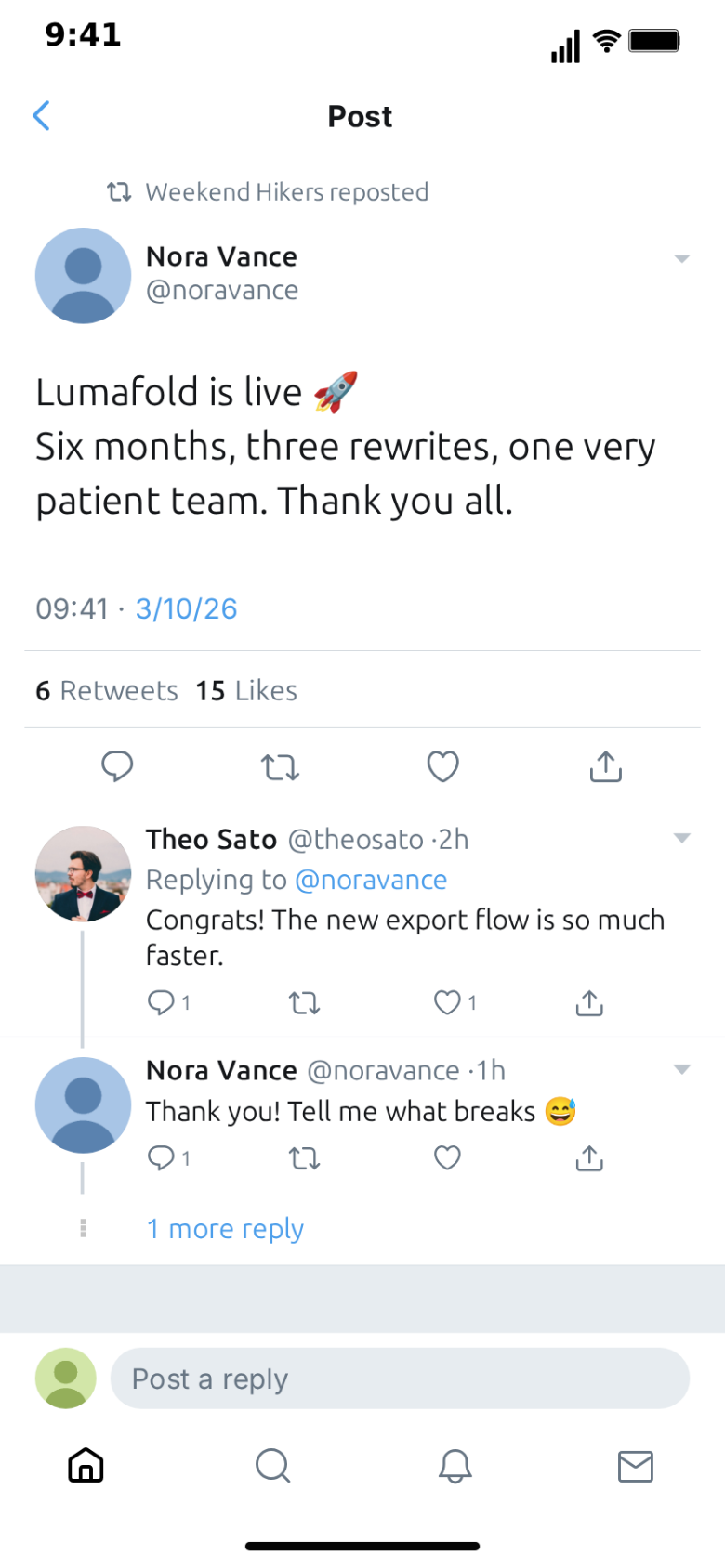
Some of the most watched short videos open on a post. A product goes live, someone shares a take that splits the comments, a story unfolds in the replies, a like count climbs past a number nobody expected. The post is the hook; the creator, the voiceover or the rest of the edit is the payoff. On TikTok, Reels and YouTube Shorts, a post card from X (formerly Twitter) works because viewers recognise it instantly and know how to read it: who said it, how many people cared, what happened next.
This guide covers how to use an animated X post or thread as the opening of a short-form video: the formats that work, the pacing, the framing choices between vertical and square, and what to add afterwards in your editor. The examples use MockClip's free X template, which renders the feed, the thread view and the screens around them in the browser and exports MP4 or GIF. MockClip is an independent tool and is not affiliated with X Corp.
Why an animated post beats a screenshot
A screenshot of a post is the most common hook format on short-form platforms, and that is its problem. Viewers have seen thousands. They scan it, they know the shape, and they decide in a fraction of a second.
An animated post adds three things a screenshot cannot:
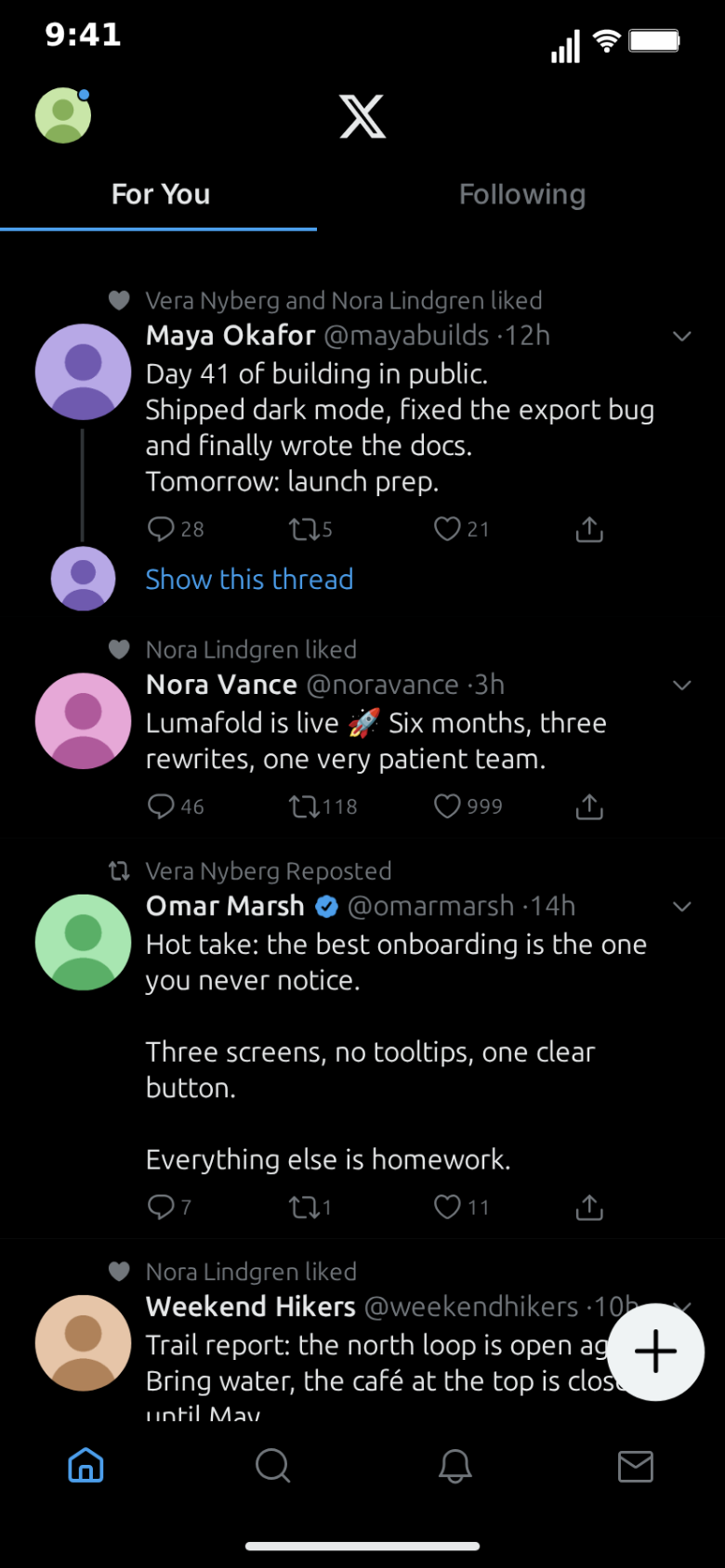
Arrival. The feed scrolls and the post settles in the middle of the screen, or a new posts pill drops in and slides it onto the top of the timeline. The eye follows the motion to the post.
Momentum. The heart pops and the like counter rolls to its new value, and a post sitting at 999 rolls over to 1K. Numbers that change say "this is spreading" without narration.
Sequence. In the thread view, replies appear one by one under the focused post. The story gets a second and third beat before the viewer has decided to scroll.
The result reads like a screen recording of someone's phone, which is the native visual language of these platforms.
The hook: the first two seconds
Short-form viewers decide in the first frame, so the post has to be readable in the first frame or arrive in the first second.
Hooks that work with an X post:
- The post is already there. Start the clip on the post itself, still, with the counter about to move. The text is the hook; the like animation half a second later is the confirmation.
- The fling. A fast thumb-flick scroll down a feed that stops dead on one post. The stop is the hook.
- The pill. A "12 new posts" pill drops in at the top and slides one post onto the timeline: the post everyone is talking about.
- The reply. Open in the thread view and let the first reply appear under the focused post. The reply is the hook, the focused post is the context.
Avoid opening on a feed of unrelated posts. If the viewer has to search the screen for what matters, they scroll away instead.
Four formats that work
The product-launch reveal
A fictional brand posts the announcement: one line of text, a photo of the product, the verified badge. The like counter rolls, a new posts pill brings in reactions, and the video cuts to the creator holding the product or demoing it on screen. This works for founders showing what a launch post would look like, for agencies pitching a campaign, and for creators teasing a drop.
Keep the launch post short. "It's here." with a photo outperforms a paragraph of features.
The hot-take reaction
A post with a strong opinion fills the screen, the counts make it clear people are arguing, and the creator reacts over it, either as a face cam or as a voiceover. The post is the prompt; the creator's take is the content.
Write the take yourself and attribute it to an invented account such as "@noravance". The point is the argument, not who made it, and inventing the author keeps the video fair to real people.
Storytime through replies
The story is told in the thread view. The focused post sets it up ("my roommate just left me this note"), and each reply moves it forward, one "Reply appears" step at a time. A reply ending on a "1 more reply" link is a natural cliffhanger for part two.
This is the X version of the Reddit storytime format. If your story needs long paragraphs, it belongs on Reddit instead; the Reddit story video format explainer covers that.
"The likes kept going up"
The whole video builds to one number. A post from a fictional account sits at 999 likes while the creator narrates how it got there; a repost step bumps the repost count, and then the like step rolls the counter over to 1K. It is the simplest format to build and one of the most watchable, because the viewer can see the round number coming and waits for it.
Pacing: where the time goes
Every step in a screen's script has a duration and a wait before it, and every screen in the video flow has a hold. That is enough control to time the post to your voiceover to within a fraction of a second.
A pacing template for a 20-second clip where the post is the hook:
- 0–1 s. The fling scroll stops on the post.
- 1–3 s. Pause. The viewer reads the post.
- 3–4 s. The like lands, the counter rolls.
- 4–6 s. The push into the thread, the first reply appears.
- 6–20 s. Cut to you, or let the replies carry the story.
When the X clip is the whole video, slow it down: two to three seconds per post that matters, a full second after each like, and the longest pause before the turn.
Framing: 9:16 or 1:1
The X template exports vertical or 1:1 square, with or without the iPhone bezel. Each has a job.
| Framing | Use it when | Notes |
|---|---|---|
| Vertical, no bezel | The post is the whole video | Fills the screen like a real recording |
| Vertical, with bezel | You want "this is a phone" to be obvious | Place it on a solid colour or a blurred background |
| 1:1 square | The post is a panel inside a bigger edit | Leaves room above and below for a face cam, captions or a title |
| 1:1 square, with bezel | Reaction videos | The phone sits under the creator like an object they are holding up |
For the hot-take and reaction formats, square is often the better choice: export the post as a 1:1 clip, put it in the lower half of a vertical canvas and the creator in the upper half. For storytime and "the likes kept going up", vertical without the bezel feels most like a real recording. The phone mockup video guide for TikTok has more layouts.
Export in Full HD for platforms; 720p is fine for drafts and GIFs. 30 frames per second is a safe default, and 60 makes fast fling scrolls look smoother.
Example: "the likes kept going up", beat by beat
A complete 22-second clip, built in the X editor.
Setup. A home feed in the light theme with four posts from fictional accounts. The third is from "Nora Vance", @noravance, a small account: "Baked bread for the first time. It is a brick. I am proud of it." with a photo of a lopsided loaf, 87 reposts and 999 likes.
Beat 1, the hook (0–2 s). Fling scroll from the top, stopping on Nora's post.
Beat 2, the read (2–4 s). Pause.
Beat 3, the setup (4–9 s). A slow scroll by a short distance, so the post drifts up the screen while the voiceover says: "I posted this at nine in the morning. By lunch, people I have never met were arguing about my bread."
Beat 4, the climb (9–14 s). A repost step: the icon pops and the count rolls from 87 to 88. A one-second pause. Then the like step: the heart pops and the counter rolls from 999 to 1K.
Beat 5, the replies (14–20 s). Push into the thread. The focused post shows "09:41 · 3/10/26 · Web App" and the stats row. Three replies appear one by one: "this is a cry for help", "the crumb is actually good??", "I made the same brick last week".
Beat 6, the end (20–22 s). Hold on the thread, then cut to the creator holding the real loaf.
Every element of that clip is a field in the editor. Once it exists, the next episode is a matter of rewriting the post and the replies.
Captions, voiceover and music afterwards
The export is a clean screen-style clip. The finishing happens in your editor.
- Sound effects. The template can add sounds for likes, new posts and posting. Keep them on if the clip carries the video; turn them off if you are adding music and voiceover, so the mix stays clean.
- Voiceover. Narrate over the post or read it in character. Time the line that matters to land just after the like, not on top of it.
- Captions. The post's text is already on screen, so captions are for your narration, not for the post. Keep them above the phone or above the bottom fifth of the frame.
- Music. Low during the setup, cut or dropped at the turn, back up for the reaction.
- Title. One short line above the phone: "my bread went viral". It frames the story without spoiling the payoff.
Titles, covers and captions
The video is half of the post; the rest decides whether it gets watched.
- Cover frame. Pick a frame where the post is still and fully readable, ideally just after the counter has jumped.
- Caption. Ask the question the video leaves open: "would you have replied?". Questions earn comments.
- Hashtags. Two or three that describe the content, not ten that describe everything.
Measuring what works
Platform analytics show where viewers leave. Use them.
- Drop in the first two seconds means the post is not readable fast enough, or the hook is weak. Test starting on the post versus the fling scroll versus the pill.
- Drop in the middle means too many posts or too slow a climb. Cut steps.
- Replays near the end mean the payoff landed. Do more of that.
Because a variation only changes a few fields, testing two hooks costs minutes.
Building a series
One post is a test; a recurring account is a series. Keep the same fictional name, handle and avatar across episodes so viewers recognise "Nora" in the first frame. End an episode on a reply with a "1 more reply" link and title the next video "part 2". The menu, profile and lists screens make good recap shots between parts: slide the menu in, open the profile, and show the posts from earlier episodes.
Repurposing one clip
- TikTok, Reels, Shorts. The vertical cut with voiceover and music.
- Feeds. The 1:1 square cut, or a vertical cut with the bezel on a coloured background.
- Chats, docs and slides. A short GIF of just the counter rolling over to 1K.
- Light and dark. Export the same script in light and Lights out and compare the cover frames.
Mistakes to avoid
Real people and brands. Do not use real names, real handles, real profile pictures or real logos, and never present a fabricated post as something someone actually said. MockClip's default content uses fictional people for this reason.
Walls of text. A post that fills the card is skipped. One or two lines.
Numbers that do not fit. A tiny account with 80,000 likes on its first post looks fake in the wrong way. Make the climb believable or make it the joke.
A busy first frame. One post that matters, clearly on screen. Not five.
A quick pre-publish checklist
- The post is readable in the first two seconds of the export.
- The like or the pill happens while the post is fully on screen.
- Names, handles, avatars and photos are invented or yours to use.
- Sound effects are on or off on purpose, not by accident.
- Captions and titles sit clear of the platform's buttons.
- The cover frame shows the post, and the caption asks a question.
Making it with AI
When ideas are faster than scripts, Describe it writes the posts, the script and the screens from one sentence, after a Google or GitHub sign-in: "a tiny bakery account's first post goes viral, the likes climb past 1K and the replies argue about sourdough". You can then adjust every field by hand. From an AI assistant, the create_x_feed tool on MockClip's MCP server does the same from Claude Desktop or another MCP client; the integrations page shows how to connect it. Free exports carry a small watermark, which Pro removes.
Next steps
Start with the step-by-step tutorial if you have not built an X clip yet, and read the X feed animation generator overview for everything the template can show. For broader short-form strategy, see how to go viral with fake conversation videos.
Free to use. No sign-up. Browser-based.
Make an X post videoFrequently Asked Questions
Why use an animated X post instead of a screenshot?
Motion holds attention in the first second. A screenshot is a still that viewers scan and scroll past; an animated post scrolls into place, the heart pops and the like counter rolls up, which reads as something happening right now.
What format should I export for TikTok, Reels and Shorts?
Vertical MP4 in Full HD, at 30 or 60 frames per second. MockClip's X template also exports 1:1 square, which works as a panel inside a vertical edit with your face cam or captions above and below it.
How long should the X post part of the video be?
As a hook, three to eight seconds: the post lands, the key moment happens, and the video cuts to you or to the story. As the whole video, 15 to 30 seconds with one clear turn.
Can I add voiceover, captions and music?
Yes. Export the clip with sound effects off and add voiceover, captions and music in CapCut, Premiere or the platform's own editor. Leave sound effects on if you want the like and new post sounds in the final mix.
Is it allowed to post fake X posts?
Fictional posts, skits and clearly framed reenactments are common content. Use invented names and handles, never put words in a real person's or brand's mouth, and never present a fabricated post as evidence of something someone said.
Do I need to sign up?
No. The Manual editor works in the browser without an account. Describe it, which writes the posts, script and screens from one sentence, needs a Google or GitHub sign-in.
Can I build the video from Claude?
Yes. MockClip's MCP server has a create_x_feed tool for Claude Desktop and other MCP clients. Describe the posts and the moment, and it returns a link that opens the finished animation in MockClip.
Related Articles
X Feed Animation Generator: Make Fake X Post Videos
Free X (formerly Twitter) feed animation generator. Animate posts, likes, reposts, threads and a new posts pill in the browser, then export MP4 or GIF.
How to Make a Fake X Post Video (Free, Step by Step)
Step-by-step: write, script and export a fake X post video in the browser, with likes that roll up, a new posts pill, threads, compose and a repost sheet.
How to Go Viral With Fake Conversation Videos in 2026
Data-driven strategies for going viral with fake conversation videos on TikTok, Reels, and Shorts. Hooks, timing, and growth tactics.
How to Make Phone Mockup Videos for TikTok
Create phone mockup videos optimized for TikTok. Step-by-step guide with templates, timing tips, and export settings.
The Reddit Story Video Format Explained (2026 Guide)
How the Reddit story video format works on TikTok and YouTube Shorts — hook, post screenshot, voiceover, B-roll, and comment payoff broken down step by step.