How to Make Phone Mockup Videos for TikTok
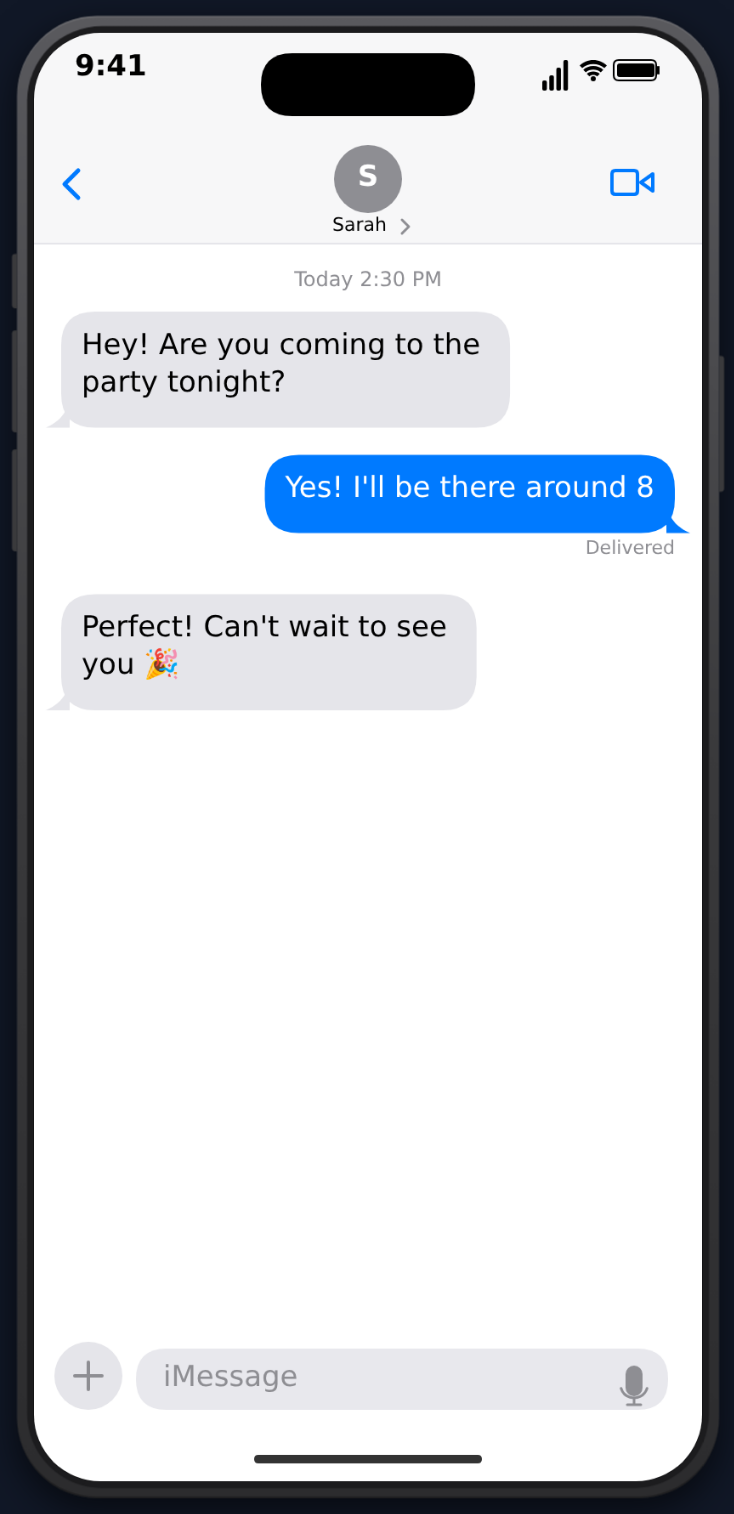
Phone mockup videos are one of TikTok's top-performing content formats. The phone screen framing feels native to the platform, and animated conversations create the suspense that drives watch time. Here's how to create them specifically optimized for TikTok.
Why Phone Mockup Videos Work on TikTok
TikTok's algorithm rewards two things above all: watch time and completion rate. Phone mockup videos excel at both because:
- Progressive reveals — messages appear one at a time, keeping viewers watching
- Familiar UI — recognizable app interfaces (iMessage, ChatGPT, WhatsApp) feel authentic
- Vertical format — the phone frame fits TikTok's 9:16 aspect ratio naturally
- Built-in suspense — typing indicators and delays create anticipation
The format is also incredibly fast to produce compared to filmed content. No camera, no lighting, no editing — just type and export.
TikTok-Optimized Workflow
Choose Your Template
MockClip offers multiple templates, each suited to different TikTok niches:
- ChatGPT — AI conversation content (massive niche right now)
- iMessage — drama, comedy, storytime
- WhatsApp — international audiences, family content
- Instagram DM — celebrity/influencer interaction skits
- Tinder — dating content, character ratings
- Reddit — AITA stories, confessions, advice threads
Optimize for Completion Rate
TikTok's algorithm heavily weights completion rate. Here's how to maximize it:
Front-load the hook. The first message or prompt should immediately tell viewers why they should keep watching. "I asked ChatGPT to write my resignation letter" is a hook. A slow intro with "Hey" "Hi" "How are you?" is not.
Keep it short. 15-30 seconds gives you 6-10 messages — enough to tell a story with a punchline. Anything over 45 seconds risks drop-off.
End with impact. The last message should be the punchline, plot twist, or emotional peak. Don't trail off with "lol" or "ok bye."
Use natural pacing. MockClip's delay controls let you time each message precisely. Quick exchanges (0.5-1s delays) feel intense. Longer pauses (2-3s) build tension before a reveal.
Export and Post
- Export as MP4 from MockClip
- Open TikTok and create a new video
- Upload the MP4
- Add a trending sound (this significantly boosts reach)
- Write a hook-driven caption
- Add relevant hashtags
Choose a template and export in minutes. Free, no account needed.
Create Your TikTok VideoTikTok-Specific Tips
Trending Sounds Matter
TikTok's algorithm boosts videos that use trending sounds. Export from MockClip with sound effects enabled, but also layer on a trending audio clip in TikTok's editor.
Hook in the Caption
Your caption should complement the video, not describe it. "Wait for the last message..." or "I can't believe the response" creates anticipation that boosts play-through.
Post Timing
AI and conversation content performs best in the evening (7-10 PM local time) when people are scrolling before bed. Test different times for your specific audience.
Series Format
TikTok rewards consistency. Create a series ("AI Conversations That Go Wrong," "Texts From My Toxic Ex") and use the Series feature to group them. Viewers who finish one episode often binge the rest.
Engage in Comments
Reply to comments with follow-up videos. "Someone asked what happened next..." is a proven format for sequels that ride the original video's momentum.
Common Mistakes to Avoid
Too long. The #1 killer. If viewers scroll away before the end, TikTok stops showing your video. Cut anything that doesn't serve the story.
No hook. Starting with "Hey" "What's up" "Nothing much" wastes the first 3 seconds. Start with the interesting part.
Wrong pacing. Messages that appear too fast can't be read. Messages that appear too slow bore viewers. Test your timing by watching the preview in MockClip.
No sound. TikTok is a sound-on platform. MockClip's notification and keyboard sounds add immersion. Layer trending audio on top for discoverability.
Create phone mockup videos optimized for TikTok at mockclip.com — free, browser-based, with MP4 export ready for upload.
Frequently Asked Questions
What resolution does MockClip export for TikTok?
MockClip exports vertical phone-format MP4 videos that are ready for TikTok's 9:16 aspect ratio. No cropping or resizing needed.
Can I add music to my MockClip video on TikTok?
Yes. Export from MockClip, then add trending sounds or music directly in TikTok's editor before posting. This is the recommended workflow for maximum discoverability.
How long should a phone mockup video be for TikTok?
15-30 seconds is the sweet spot. This gives enough time for a compelling conversation while maintaining high completion rates that the algorithm rewards.
Does MockClip add a watermark?
The free tier includes a small watermark. Upgrade to Pro to remove it. Both versions export as MP4 ready for TikTok.
Related Articles
App Mockup Videos for Social Media: The Complete Guide
Create app mockup videos for TikTok, Reels, and Shorts. Templates, tips, and strategies for social media content creators.
How to Create a Fake ChatGPT Conversation Video
The complete 2026 guide to creating realistic fake ChatGPT conversation videos for TikTok, YouTube Shorts, and Reels — no coding, no editing, free.
Best Fake Text Message Video Makers for Content Creators
Compare the best fake text message video makers for iMessage and WhatsApp. Find the right tool for animated conversation videos.