How to Go Viral With Fake Conversation Videos in 2026
Nobody can promise a video will go viral. Distribution on TikTok, Instagram Reels and YouTube Shorts depends on things you cannot see or control. What you can control is the video: whether the first second creates a question, whether each message raises the stakes, and whether the ending is worth sharing. Fake conversation videos are good at all three, because the format is built from small beats you can time precisely.
This guide breaks a conversation video into its parts, shows how to build each part in MockClip, covers platform packaging and growth habits, and lists the mistakes that most often lose viewers.
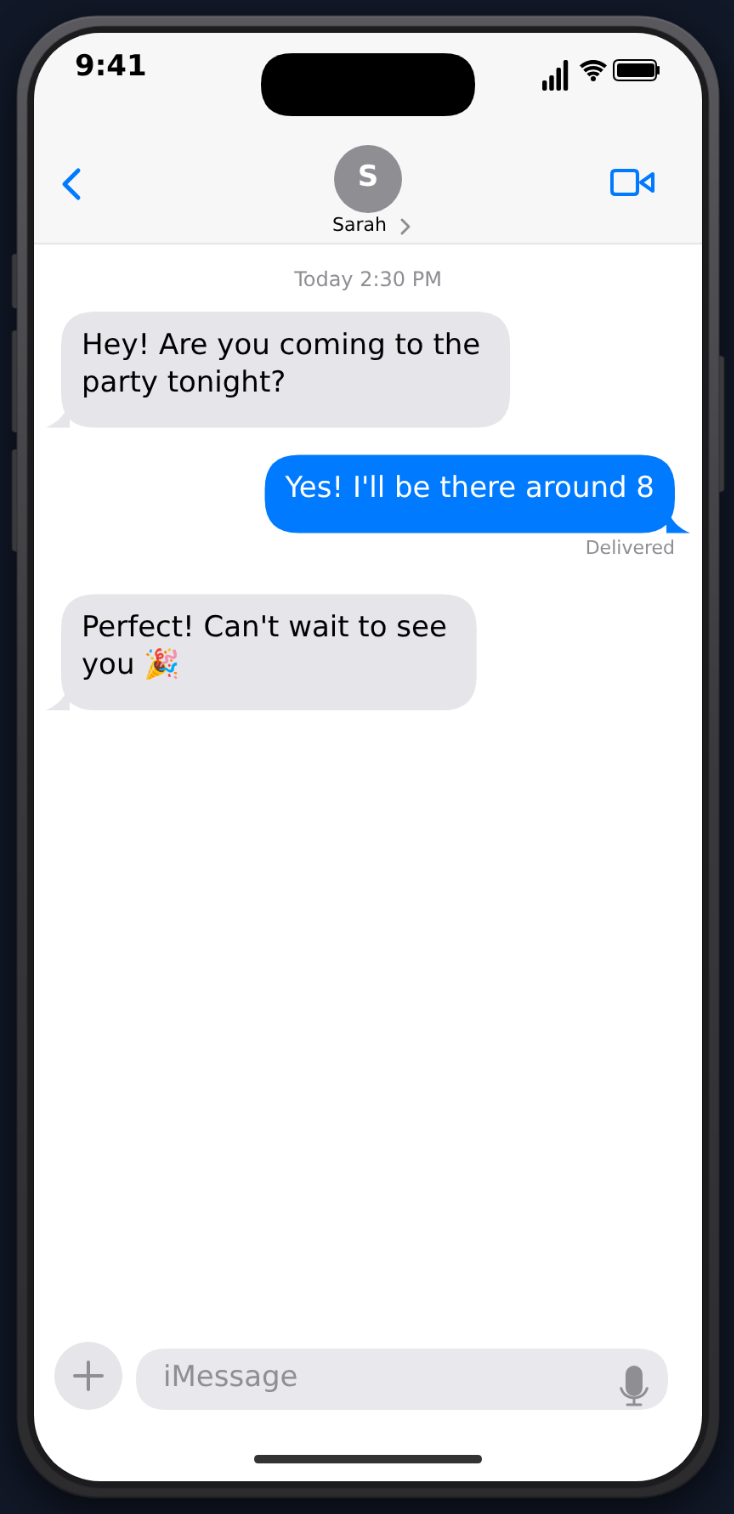
The anatomy of a conversation video that holds attention
Every strong conversation video has three parts: a hook, escalation and a payoff.
1. A hook that opens a question (first one to two seconds)
Viewers decide almost immediately whether to keep watching. The hook has to create curiosity before they scroll.
Hooks that open a question:
- "I asked ChatGPT to be brutally honest about my life" — vulnerability plus a twist on a familiar tool.
- "My mom just sent me this" — personal stakes and a mystery.
- "This is the worst text I've ever received" — a promise the video has to keep.
Hooks that do not:
- "Hey", "Hi", "What's up" — nothing to wonder about.
- "Check out this conversation" — tells instead of shows.
- "Part 47 of my text series" — needs context a new viewer does not have.
The hook can be your text overlay, your first message, or your caption. The strongest videos use all three, each reinforcing the same question.
2. Escalation that keeps raising the stakes (the middle)
Once a viewer is hooked, every new bubble should make them want the next one. Escalation patterns that work:
- The misunderstanding — each reply makes the confusion worse.
- The slow reveal — each message adds a piece of a picture the viewer is assembling.
- The escalating absurdity — each response is more extreme than the last.
- The power shift — one person starts confident, the other ends up in control.
If a message does not add information, raise the stakes or set up the ending, cut it.
3. A payoff worth sharing (the last message)
The last message decides whether viewers comment, share or replay. Endings that earn a reaction:
- The plot twist — reframes everything that came before.
- The one-liner — short, unexpected, and final.
- The cliffhanger — leaves an open question for a part two.
- The relatable punchline — the "we've all been there" ending people send to a friend.
Building the formula in MockClip
Here is how each part maps to controls in MockClip's iMessage template. The same ideas apply to the WhatsApp, Instagram DM and ChatGPT templates.
Step 1: set up the contact
Type the Contact Name — the relationship is often the joke ("Mom", "Landlord", "Ex (do not answer)"). Add a contact avatar if the story needs one; without it, the header shows the first letter of the name. Choose the dark or light theme to match how your audience uses their phone.
Step 2: write the messages
Use + My Message for blue bubbles on the right and + Their Message for grey bubbles on the left. Keep each message to what someone would really type — a few words, often lowercase, sometimes with a typo that you choose deliberately. You can add a Date Label above a message to show time passing ("Today 3:25 PM"), or turn on Show Timestamp at the top of the thread.
Step 3: time the hook
Give the first message a short Delay Before so it appears quickly, and keep it on screen long enough to read before the reply starts. If your hook is a text overlay you add later, leave a beat at the start of the clip for it.
Step 4: pace the escalation
Each message has its own Delay Before, and each of their messages has its own Typing Duration for the three-dot bubble. During an argument, use short delays so the replies come fast. When someone is clearly thinking about what to say, let the bubble run longer. Your own messages can use Show typing in input field, so the text is typed into the bar at the Typing Speed you set, with the keyboard sliding up while it types.
Step 5: land the payoff
Put the longest typing bubble right before the final message. For a twist, tick Cancel typing (don't send message) on one of their messages first: the dots appear, hold and disappear, and the real reply comes after. The typing indicator guide covers these beats in detail.
Step 6: use the receipts
On your messages, Delivered and Read (with a read time you type) tell their own story. A message marked Read with no reply is a complete beat. Tapback Reactions — heart, thumbs up, thumbs down, haha, exclamation, question — let someone react without typing, with a Tapback Delay you set. See the Delivered and Read receipt guide and the tapback guide.
Step 7: export
Export MP4 for posting and editing, or GIF where a loop is useful. The default frame is an iPhone in a vertical 9:16 video; a 1:1 square is available for feed posts. Exports are free with a small watermark; pricing lists the plans that remove it.
If writing the script is the slow part, open the Describe it panel on the template page, describe the story in a sentence, and let it write the messages and timing for you. It needs a Google or GitHub sign-in, and the result opens in the manual editor for changes. The AI chat video prompt ideas are written to paste straight in.
Free in the browser. No account needed for the manual editor.
Build your conversation videoA worked example: one script, beat by beat
Here is a short script and how each message is set up. The premise: someone asks their roommate whether they ate the leftover birthday cake.
- Me: "did you eat the cake" — short Delay Before, typed into the input field so the viewer watches the accusation being written. This is the hook.
- Them: "what cake" — a quick typing bubble. Denial, delivered fast.
- Me: "the one in the fridge with my name on it" — marked Delivered.
- Them: a typing bubble that runs long, then cancels. The dots disappear. The viewer now knows something is wrong.
- Me: "hello??" — marked Read with a time, so the silence is visible.
- Them: a long typing bubble, then: "it said happy birthday. i thought it was for me." — the payoff.
- Me: a haha tapback on their last message, and nothing else.
Seven beats, one question, and a reply the viewer did not see coming. Notice what the timing does: fast exchanges at the start, one cancelled bubble in the middle to build tension, and the longest pause right before the final line. Change the words and the same structure works for almost any premise.
Packaging for each platform
The same clip can go to all three platforms, but the packaging around it should change.
TikTok
- Keep it tight. Cut every message that does not move the story.
- Use sound deliberately. MockClip's iMessage template has send, receive, typing and tapback sounds you can keep or switch off; you can also add a sound from TikTok's library when you post.
- End on something debatable. A question viewers want to answer drives comments.
- Leave room for responses. Stories with an ambiguous ending invite Stitches and Duets.
Instagram Reels
- Put the hook on screen. Many people watch without sound, so the text overlay carries the hook.
- Make it worth saving. Advice, templates and "send this to someone" stories give people a reason to save or share.
- Write a caption that adds to the video, not one that repeats it.
- Share to Stories so your existing followers see it.
YouTube Shorts
- Write a searchable title. Describe what happens in words people would type.
- Consider voiceover. Narration can carry a story for viewers who are listening.
- Favour stories that do not date quickly. Shorts can keep being found long after posting.
- Name your series so viewers can find the next part. For more on this platform, see fake text conversation videos for YouTube Shorts.
Growth habits
Post consistently
One video rarely builds an account. A steady schedule gives you more chances to learn what your audience responds to. Building in MockClip is fast once you have a script, because the contact, theme and sounds stay set while you replace the messages.
React to what people are talking about
When a topic is everywhere, "I asked ChatGPT about [topic]" or "Texting my friend about [topic]" can tie your format to the conversation. Be quick, and be careful: never put words in a real person's mouth, and do not present a scripted exchange as a real one.
Pick a niche
"Fake texts about nursing school" speaks directly to a smaller audience that recognises every detail. Niche content gives viewers a reason to follow for more of the same.
Repurpose one idea across formats
One premise can become several videos:
- The story as an iMessage conversation.
- The same story as a ChatGPT conversation — the character asks an AI for advice.
- The same story as a Reddit post asking strangers to judge.
Same core idea, different formats, different audiences.
Mistakes that lose viewers
Too long. One of the most common problems. If the story works in eight messages, do not use fifteen.
Burying the hook. Three or four messages of small talk before anything happens. Start at the interesting part.
An obvious outcome. If viewers can predict the ending from the hook, there is no reason to keep watching.
Uniform timing. Every message arriving after the same gap looks mechanical. Vary the delays and typing durations; why fake chat videos look fake goes through the other giveaways.
Over-produced. Conversation videos should feel casual. Long, perfectly punctuated messages read like an ad.
Inconsistent posting. A single good video does not build an account on its own.
Troubleshooting your video
Viewers drop off early. Your hook is probably too slow or too vague. Move the most surprising message to the top, or add a text overlay that states the stakes.
The ending falls flat. Check what comes right before it. A longer typing bubble or a cancelled-typing beat before the final message gives the payoff room to land.
Comments say it looks fake. Look at message length and pacing first. Real texts are short and uneven. Use lowercase, occasional fragments and varied delays.
The text is hard to read on a phone. Cut long messages into two, or slow the pacing so each message stays on screen longer before the next one arrives.
I want the same story in another app. Rebuild it in the matching template — the beats transfer directly, even if the field names differ slightly between apps.
Quick checklist
- The first message or overlay opens a question.
- Every message adds information or raises the stakes.
- Delays and typing durations vary; the longest pause comes before the payoff.
- Receipts and reactions are used as beats, not decoration.
- The ending is short and worth sending to someone.
- The caption and title add context rather than repeating the video.
For more guides, browse the MockClip blog.
Related MockClip templates and guides
Most of the formats above are built in the iMessage template. For prank-specific scripts, read iMessage prank text videos. For premises that keep producing, see AI conversation video content ideas. For tool selection, see the best fake text message video makers, and for the full end-to-end walkthrough, how to make fake text message videos.
Frequently Asked Questions
Can a fake conversation video go viral on a new account?
It can. Short-form feeds show videos to people who do not follow you, so a new account is not locked out. What you control is the video itself: a hook that creates a question in the first second or two, escalation that keeps raising the stakes, and an ending worth replaying or sharing.
How long should a fake text conversation video be?
As short as the story allows. If the story works in eight messages, do not use fifteen. Cut the opening small talk, start at the first interesting message, and keep one long pause right before the payoff.
How do I make the typing feel real?
Vary it. In MockClip's iMessage template each message has its own delay before it, the other person's typing bubble has its own duration, and your own messages can be typed into the input field at a speed you set. Short gaps during an argument and one long typing bubble before the punchline read like a real exchange.
Should I delete videos that do not take off?
There is no need to. Treat each video as a test of one premise and one hook. Note what you tried, keep what worked for your audience, and change one thing at a time in the next video.
Which chat app should I use for my story?
The one your characters would really use. iMessage suits personal texting stories, WhatsApp suits group chats and international audiences, Instagram DM suits creator and dating stories, and ChatGPT or Gemini suit AI premises. MockClip has templates for all of them.
Related Articles
iMessage Typing Indicator Video: How to Animate the Pause
Animate the iMessage typing bubble as an MP4 — including the cancelled-typing beat where the dots appear, hold, and vanish without a reply arriving.
AI Chat Video Prompt Ideas for TikTok, Reels and Shorts
30+ ready-to-paste prompts for MockClip's Describe it mode: WhatsApp, iMessage, Telegram, ChatGPT, Reddit, Tinder and more. One sentence in, a chat video out.
How to Make a Fake Text Message Video for YouTube Shorts
Make a fake text message video for YouTube Shorts free in the browser: script an iMessage chat with typing, tapbacks and read receipts, then export a 9:16 MP4.
Why Your Fake Chat Video Looks Fake (And How to Fix It)
A cross-template checklist of the timing, receipts, and interface details that decide whether your fake chat video reads as a real screen recording.
iMessage Prank Text Video: How to Make Fake Prank Texts
Make a fake iMessage prank text video in the browser: script the setup, time the typing bubble and Read receipt for the punchline, then export MP4 or GIF.