LinkedIn Message Video Ideas for TikTok, Reels and Shorts
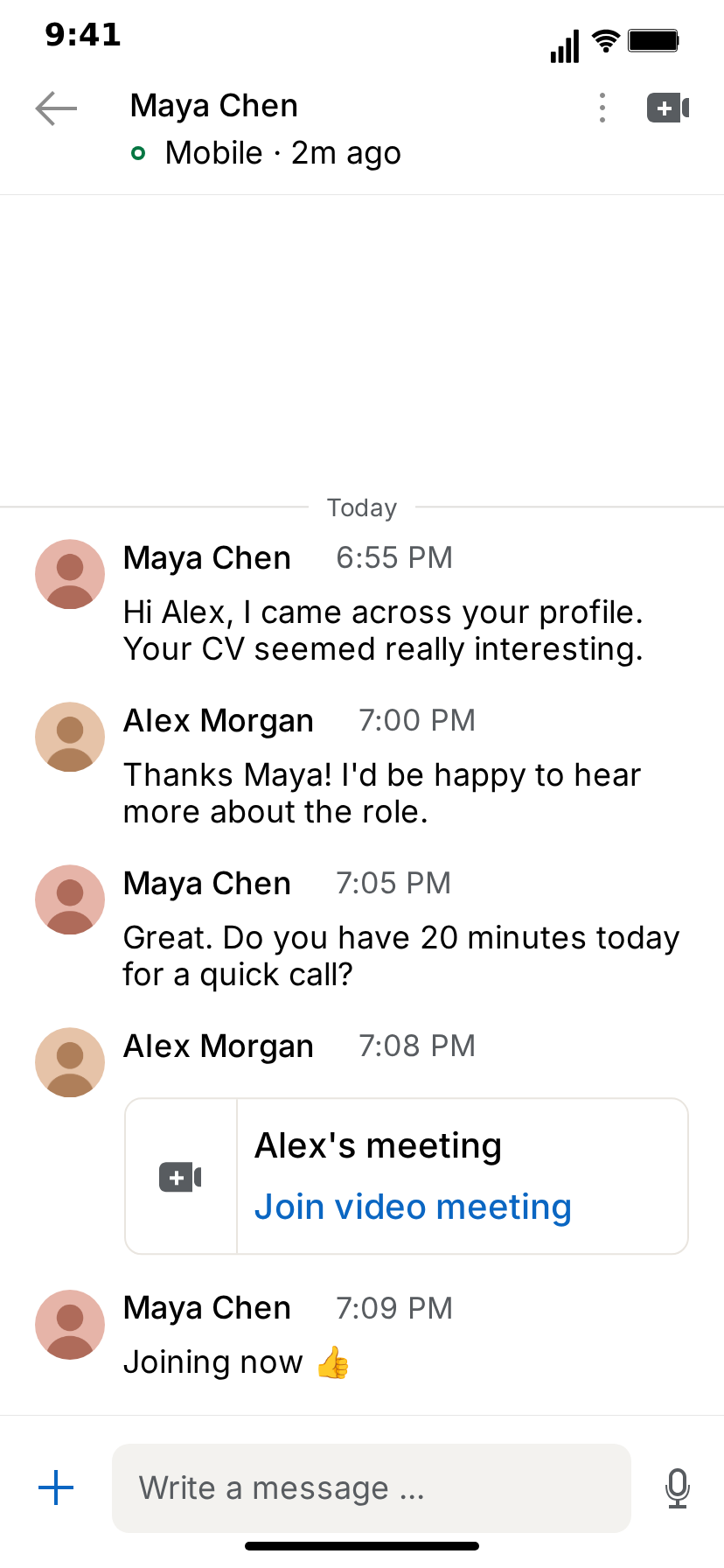
LinkedIn messaging is the one inbox where everybody is on their best behaviour. Recruiters "came across your profile", founders "would love to pick your brain", strangers ask for referrals with "Hope you're doing well!" and a three-paragraph pitch. Everyone recognizes the tone, and almost everyone has a story about a message that went sideways. That makes it one of the best formats for short-form skits: the polite register is the setup, and whatever you put inside it is the punchline.
This guide covers how to turn those moments into TikTok, Reels and Shorts videos with MockClip's free LinkedIn template: why the format works, the hook, the pacing, eight ready-to-build skits with a who-says-what script for each, and the export settings. Every message in these skits is written by you. There is no LinkedIn login and nothing is sent anywhere; the template only draws and animates the conversation you script.
Why LinkedIn skits work
Instant recognition. A header with a name and "Mobile · 2m ago", flat rows with round avatars, names and times, and a "Write a message …" bar at the bottom: viewers know where they are before they read a word.
A shared register. Professional politeness is a language everybody speaks and nobody fully means. "Happy to connect!" and "Per our conversation" carry subtext the viewer decodes instantly, and the gap between what is said and what is meant is where the comedy lives.
Stakes everyone has felt. A job offer, a rejection, a referral, a sales quota. Career moments are relatable across ages and industries, and comments fill up with people sharing their own version.
Reactions without a face. You do not have to be on camera. A status line that flips to "typing" for five seconds and produces "ok", a reply typed slowly into the message bar, a meeting card sent too fast: each of these is a reaction the viewer reads.
The hook: the first two seconds
The first message is the hook. Viewers read the contact's name and the opening line as it lands, so the opener has to work as text in about two seconds.
Openers that work:
- The classic recruiter line. "Hi Alex, I came across your profile." Viewers already know where it goes, and that is the point.
- Too much, too soon. "Hi! Quick question about your career goals for the next 10 years."
- The formal request for something small. "Following up on my previous message regarding your lunch order."
- The cold pitch. "Hope you're well! I noticed you work in design. Are you open to a 15-minute chat about synergy?"
Keep the first Delay Before short so the message lands almost as soon as the clip starts. If you open on the Messaging inbox, the first row already shows the contact and their last message, which works as a teaser before the push into the chat.
Pacing: where the pauses go
A LinkedIn skit has four timing controls that matter:
- Delay Before (s) on every message: the gap before it appears.
- Typing Duration (s) on the contact's messages: how long the status line shows "typing" with dots before the message appears.
- Typing Speed (chars/sec) for your own messages, which are typed into the message bar and sent.
- The cut to the call screens in the video flow, which works as the last beat of the story.
The rules of thumb:
- Long typing, short answer. Five seconds of "typing" followed by "No." is one of the most reliable jokes in the format.
- Slow typing reads as hesitation. Drop your Typing Speed for the reply you are nervous about sending.
- Use date lines as time jumps. A "Yesterday" date line above an unanswered message and "Today" above the reply says somebody took a day to think about it.
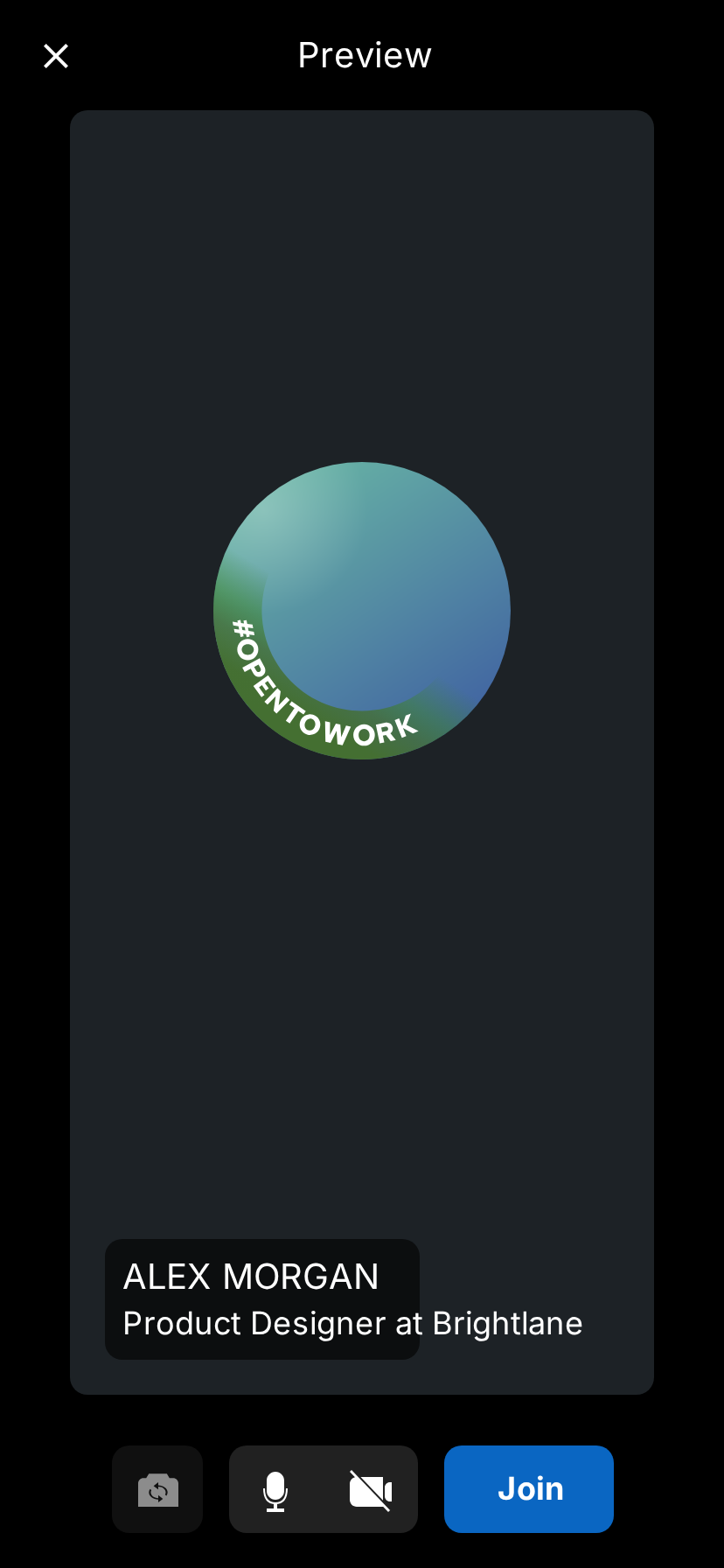
- End on the call preview. A fade to the camera preview with the Join button is a cliffhanger: the call is about to start and the viewer never sees it.
Eight LinkedIn skits, ready to build
Each skit lists the setup and a who-says-what script. "Contact" is the other person in the header; "You" is the account owner, set with Your name. Messages without timing notes use short default delays. Swap in your own wording; keep the structure. All names and companies are invented.
1. The recruiter who did not read the profile
The most relatable recruiter outreach there is.
- Contact: Jordan Blake, status "Mobile · 2m ago". You: Sam Ortiz.
- Script:
- Jordan: "Hi Sam, I came across your profile and think you'd be a great fit for our Senior Java Engineer role!"
- Sam (typing speed 10): "Thanks Jordan! Just to check, did you see that I'm a pastry chef?"
- Jordan (typing 3 s): "Yes!"
- Jordan: "Do you have experience with Spring?"
- Sam: "Only spring rolls."
Why it works: the opener is something every viewer has received, the long typing before "Yes!" says Jordan did not check, and the last line is a pun the viewer sees coming one beat before it lands.
2. The job offer (career win)
A job-hunt win, told as a short exchange and a meeting.
- Contact: Maya Chen. You: Alex Morgan. Call preview headline: "Product Designer at Brightlane".
- Script:
- Maya (date line "Yesterday"): "Hi Alex, thanks again for your time on the final round."
- Alex: "Thank you, I really enjoyed it!"
- Maya (date line "Today", typing 2 s): "Do you have 10 minutes for a quick call? I have some news."
- Alex (delay 0.5 s): meeting card "Alex's meeting / Join video meeting".
- System line: "Maya Chen joined the video meeting."
- Video flow: fade to Call preview, hold 2 s.
Why it works: the date lines show a day of waiting, the meeting card sent half a second later is the excitement, and the cut to the call preview with the new headline tells the ending without a single word about the offer. Post a rejection version with the same setup and an "Unfortunately…" message as a pair.
3. The cold pitch
B2B outreach at its most familiar.
- Contact: Chris Vale, status "Active now". You: Dana Brooks.
- Script:
- Chris (date line "Monday"): "Hi Dana, hope you're well!"
- Chris: "I noticed your company has a website."
- Chris: "We help companies with websites get more website. Open to a quick 15-minute chat?"
- Dana (delay 3 s, typing speed 8): "We're good, thanks."
- Chris (typing 1 s, date line "Today"): "Just bumping this to the top of your inbox 🙂"
Why it works: three stacked messages from Chris, with the avatar and name line off on the second and third, look exactly like a real pitch arriving in a burst. The polite decline and the immediate "bump" are the punchline.
4. The referral ask
A stranger who is suddenly a close friend.
- Contact: Riley Park. You: Morgan Hale.
- Script:
- Riley: "Hey Morgan!! Long time no see 😊"
- Morgan: "Hi Riley, sorry, have we met?"
- Riley (typing 2 s): "We were in the same webinar in 2021."
- Riley: "Anyway, would you mind referring me for the Head of Product role at your company?"
- Morgan (delay 4 s): "I work at a bakery."
Why it works: the overfamiliar opener, the flimsy connection and the mismatch at the end are three escalating beats in five messages. The long delay before the last line is the reaction shot.
5. Networking humour: "Let's grab a coffee"
The networking promise that never happens.
- Contact: Owen Brooks. You: Priya Raman.
- Script:
- Owen (date line "March 3"): "Great meeting you at the conference! Let's grab a coffee soon ☕"
- Priya: "Absolutely, let's do it!"
- Owen (date line "July 19"): "Hey! We should really grab that coffee."
- Priya: "Definitely! Let's find a time."
- Owen (date line "Today"): "Happy work anniversary! Still on for coffee?"
- Priya (typing speed 6): "Yes!!"
Why it works: the date lines do all the storytelling. Each one is months apart and nothing has happened in between, which every adult with a calendar recognizes. Make the dates the joke and keep the messages bland.
6. Career-coach content: the follow-up that works
Not every skit has to be a joke. Career coaches and recruiters can use the format to show a good message next to a bad one.
- Contact: Hana Sato, a hiring manager. You: Liam Novak.
- Script, version A (what not to do):
- Liam: "Hi"
- Liam: "Any updates?"
- Hana (typing 3 s): "Hi Liam, which role was this regarding?"
- Script, version B (what to do):
- Liam: "Hi Hana, thank you for the interview on Tuesday for the Data Analyst role. I enjoyed hearing about the team's move to the new reporting tool."
- Liam: "Is there anything else I can share to help with your decision?"
- Hana (typing 2 s): "Thanks Liam, really appreciate the follow-up. You'll hear from us by Friday."
Why it works: two clips with the same contact and opposite outcomes make a before-and-after that viewers save. Add a voiceover explaining what changed, and the conversation becomes a lesson that sticks.
7. B2B sales demo: from DM to booked call
For founders and sales teams who want to show their process, or simply celebrate a booked meeting.
- Contact: Clara Jensen, status "Mobile · 5m ago". You: Ethan Ward. Call preview headline: "Account Executive at Northpeak".
- Script:
- Ethan: "Hi Clara, saw your team is hiring three support agents this quarter. We help teams like yours cut ticket backlog without adding headcount."
- Clara (typing 2 s): "Timing is good, actually. What does it look like in practice?"
- Ethan: "Easier to show than tell. Free for a quick call now?"
- Clara: "Sure, send it over."
- Ethan: meeting card "Ethan's meeting / Join video meeting".
- Video flow: fade to Call preview.
Why it works: it is a clean, three-step story (relevant opener, specific question, booked meeting) that sales teams can use as a training clip or as a win post. Keep the product and company invented.
8. The recruiter role reversal
The candidate interviews the recruiter.
- Contact: Daniel Okafor, a recruiter. You: Sofia Marquez.
- Script:
- Daniel: "Hi Sofia, I have an exciting opportunity that matches your background!"
- Sofia: "Great! Before we start, where do you see yourself in five years?"
- Daniel (typing 4 s): "…in recruiting?"
- Sofia: "And what would you say is your biggest weakness?"
- Daniel (typing 5 s): "Candidates like you."
Why it works: viewers know the interview script by heart, and hearing it in reverse is instantly funny. The long typing durations before each answer show the recruiter squirming.
Scripting tips for LinkedIn skits
Write in the register. "Hope you're well", "circling back", "happy to connect", "would love to pick your brain". Put an absurd request inside that language and the contrast does the work.
Stack messages for bursts. Untick "Avatar + name line" on follow-up messages so they continue under the first one, the way a quick burst of messages looks in the app.
Let the status line act. A contact who is "typing" for five seconds is a character beat. Use Typing Duration as a reaction, not just as realism.
Use the meeting card as a turning point. It ends the text part of the story and promises a call. Follow it with a system line ("Maya Chen joined the video meeting.") for urgency.
One twist per clip. A skit with one clear turn beats one with four small ones. Save the others for the next episode.
Invented details only. Use invented names for every person and invented companies for every employer, product and client.
Formats for each platform
- TikTok, Reels and Shorts: 9:16 vertical MP4. Keep the clip under 25 seconds and make sure the last message does not sit under the platform's caption area at the bottom of the screen.
- Feeds and X: the 1:1 square crop keeps the conversation in the visible part of the screen.
- Slides, newsletters and team chats: a short GIF of the opener and the reply.
Exports are MP4 or GIF at 720p or Full HD and 15 to 30 fps, or 60 fps on the Creator plan, with or without the iPhone bezel. The export settings guide covers the details. Free exports carry a small watermark; see pricing for the plans that remove it.
Light or dark
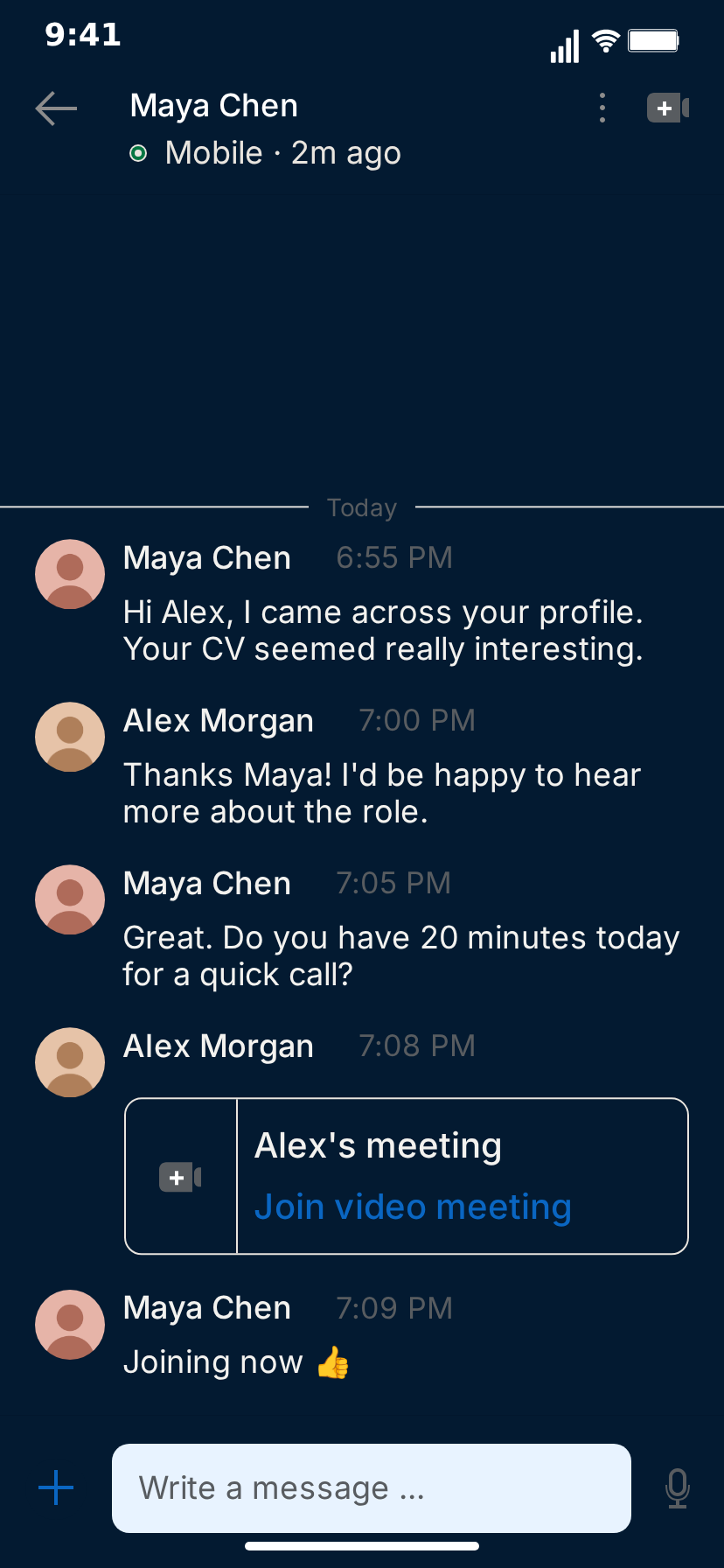
The light theme reads like a phone during the working day and suits recruiter, office and sales stories. The navy dark theme reads like late-night scrolling and suits "a recruiter messaged me at 11 pm" and job-hunt anxiety. Export one skit in both and see which your audience responds to.
Building a series
LinkedIn skits lend themselves to series, because the setup stays the same and only the message changes.
- "Recruiter messages, ranked" — one absurd outreach per episode, same recruiter every time.
- "Cold pitches I actually received", rewritten with invented names and companies.
- "The coffee that never happened" — the networking thread, one more date line each episode.
Keep your name, the contact and the theme consistent across episodes so returning viewers recognize the format instantly. Fill the Messaging inbox with the previous episodes' contacts and open on it, so the series has its own continuity.
Sound, captions and editing
The template has its own sound effects, which you can switch off with Sound Effects. The exported MP4 is a clean screen clip: add a voiceover reading the messages, a reaction cam, music or captions in your editor of choice or in the platform's own editor.
Mistakes to avoid
Messages that are too long. A three-paragraph pitch is realistic, but viewers will not read it. Keep each message to a line or two and stack them.
No time to read. Give each message at least as long on screen as it takes to read aloud slowly.
Real names and real companies. Do not put a real recruiter, employer or brand in a skit. Invented ones are funnier anyway because you control them.
Claiming it is real. A made-up conversation presented as a real message from a real person is misleading. Frame skits as skits.
Making it with AI
If you would rather start from a draft, switch to Describe it in the editor and type one sentence, such as "A recruiter offers a pastry chef a Java engineering role". MockClip's AI drafts the messages and timing for you to adjust; it needs a Google or GitHub sign-in. The Describe it guide explains how it works, and the AI chat video prompt ideas list has more ways to phrase a starting sentence.
A note on fair use
MockClip is an independent tool and is not affiliated with, endorsed by or sponsored by LinkedIn Corporation; LinkedIn is a trademark of LinkedIn Corporation. The template is for parody, skits, education and mockups. Write every message yourself, use invented names and companies, and do not present a made-up conversation as real or use it to impersonate a real person or organization.
Next steps
For the full walkthrough of every field and screen, read how to make a fake LinkedIn message video. For broader advice on hooks and series, see how to go viral with fake conversation videos. If the story moves to a team channel or an email, the Slack template and the Gmail template pick it up from there, and every format is in the app picker.
Free to use. No sign-up. Browser-based.
Make a fake LinkedIn message videoFrequently Asked Questions
What makes a LinkedIn message skit work on TikTok?
A situation everyone on LinkedIn has lived through: the recruiter who did not read the profile, the cold pitch that starts with 'Hope you're well', the referral ask from someone you met once. The polite, professional register is the setup, and the content inside it is the joke.
How long should a LinkedIn message skit be?
Between 12 and 25 seconds for most skits: four to six messages, one twist, and optionally a cut to the call preview at the end. Longer stories work better as a series of short episodes.
Can I show several people in one LinkedIn conversation?
No. The template is a one-to-one conversation between you and one contact. To involve another character, make a second clip with a different contact and post the two as a pair.
What format should I export for TikTok, Reels and Shorts?
Vertical 9:16 MP4. MockClip exports at 720p or Full HD and 15 to 30 fps, or 60 fps on the Creator plan, with or without the iPhone bezel, and also offers a 1:1 square crop for feeds.
Can I add voiceover or music?
Yes. The template has its own sound effects, which you can switch off. Export the MP4 and add voiceover, music or captions in your editor of choice or in the platform's own editor.
Is it allowed to post fake LinkedIn messages?
Fictional skits and clearly framed reenactments are common content. MockClip is independent and not affiliated with or endorsed by LinkedIn Corporation. Write every message yourself, use invented names and companies, and do not present a made-up conversation as real or impersonate a real person or company.
Related Articles
How to Make a Fake LinkedIn Message Video (Free, Online)
Step-by-step: build a fake LinkedIn message video in your browser, with a recruiter chat, typing, a video meeting card and the call preview screen. Free.
How to Go Viral With Fake Conversation Videos in 2026
Data-driven strategies for going viral with fake conversation videos on TikTok, Reels, and Shorts. Hooks, timing, and growth tactics.
How to Make a Fake Text Message Video for YouTube Shorts
Make a fake text message video for YouTube Shorts free in the browser: script an iMessage chat with typing, tapbacks and read receipts, then export a 9:16 MP4.