12 Facebook Marketplace Skit Ideas for TikTok and Reels
Everybody who has bought or sold something second-hand has a Marketplace story: the buyer who offers half the price, the "is this still available?" that never gets a second message, the couch that was "barely used". Those stories work as short skits because the audience already knows the setup. You only have to show the listing and let the messages land.
This post collects twelve skit ideas you can build with MockClip's Facebook Marketplace template. Each idea has a short setup, the beats of the conversation, the screens to include and a timing note. If you haven't used the template yet, the step-by-step guide walks through the editor first.
All people, listings and photos in these clips should be fictional or your own. Nothing is read from or posted to Facebook, and MockClip is not affiliated with, endorsed by or sponsored by Meta Platforms, Inc. The screens follow a community design kit of the app, not every detail of the current release. Label skits as skits, and never present a made-up conversation as a real one.
How the ideas are written
Each idea follows the same shape:
- The listing. What the item, price and old price are. The listing sets up the joke before anyone types.
- The beats. Four to six messages, written as "me" (the buyer) and the seller.
- The screens. Which steps to keep in the Video flow: the full browse (home, category, listing, chat) or just the listing and the chat.
- Timing. Where to add a pause, a long typing bubble or a slow reply.
The template's Category picker has four ready-made examples (Furniture, Electronics, Clothes and Vehicles). Start from the closest one and change the listing and messages; that is faster than starting from an empty clip.
1. The lowballer
Listing: a solid wood dining table, $300, old price $450.
Beats: "Hi! Is this still available?" → an offer card for $40 → the seller: "Did you mean $400?" → "No. $40. I can pick it up today though." → the seller: "Wow, today! In that case, $300."
Screens: the listing, then the chat. The offer card is the punchline, so give it a moment.
Timing: a 1.5-second delay before the seller's "Did you mean $400?" and a long typing bubble before the last line.
2. "Is this still available?"
Listing: a mid-century armchair, $85.
Beats: the buyer sends "Is this still available?" and the seller's mini avatar appears under it as the read mark. A long typing bubble, then: "Yes! When can you come?" Then nothing. The buyer never answers, and the clip ends on the seller's question.
Screens: the full browse: home → Furniture → the armchair → Message → chat. The longer build-up makes the silent ending funnier.
Timing: hold the last frame for two seconds. The joke is the wait.
3. "Barely used"
Listing: a three-seat sofa, "Used - Like new", with a description that says "Barely used, no stains".
Beats: the buyer asks for more photos → the seller: "It's like new, my dog only sat on it a few times" → "A few times?" → "Every day for three years. But gently."
Screens: the listing, then the chat. Let the viewer read "Like new" on the Condition row before the chat opens.
Timing: a short pause before "Every day for three years", then "But gently" fast.
4. The test-drive no-show
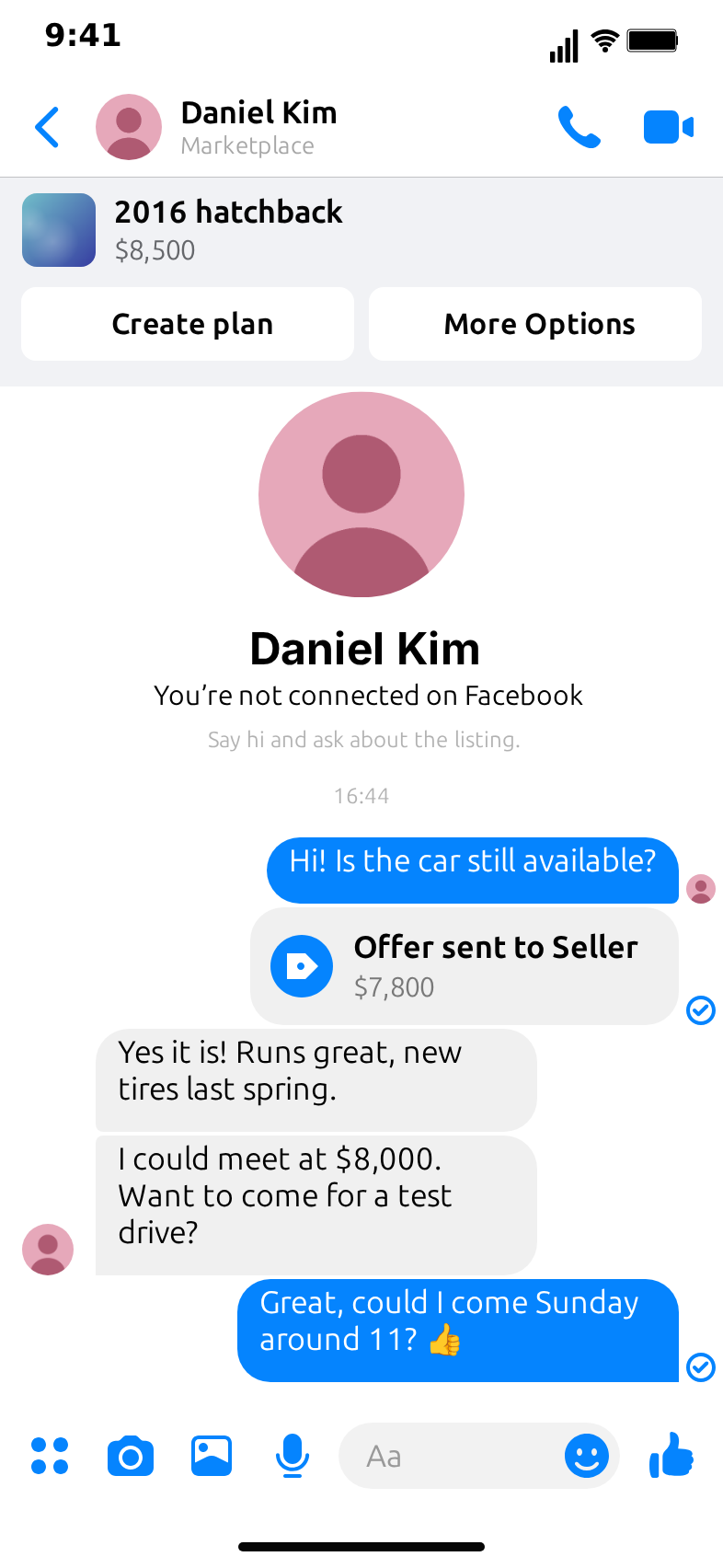
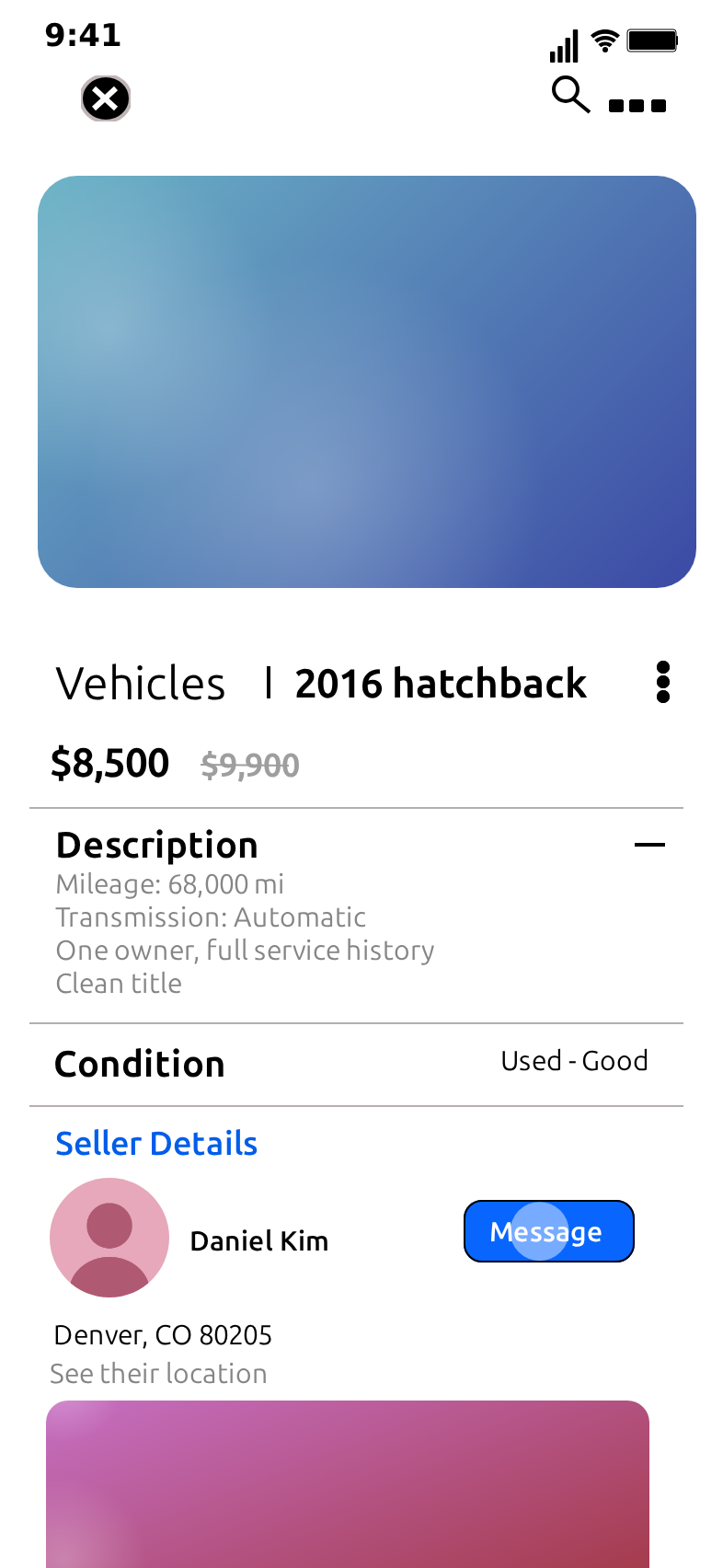
Listing: start from the Vehicles example: a 2016 hatchback at $8,500.
Beats: the buyer books a test drive for Sunday at 11 → on the day, the seller: "Here at the car park, white hatchback" → "On my way!" → twenty minutes later, the seller: "Still coming?" → the buyer: "Sorry, I bought a bike instead."
Screens: the listing and the chat. Add time lines ("10:58", "11:21") to show the wait without extra messages.
Timing: use the time lines as the clock; keep the messages fast.
5. The bundle negotiator
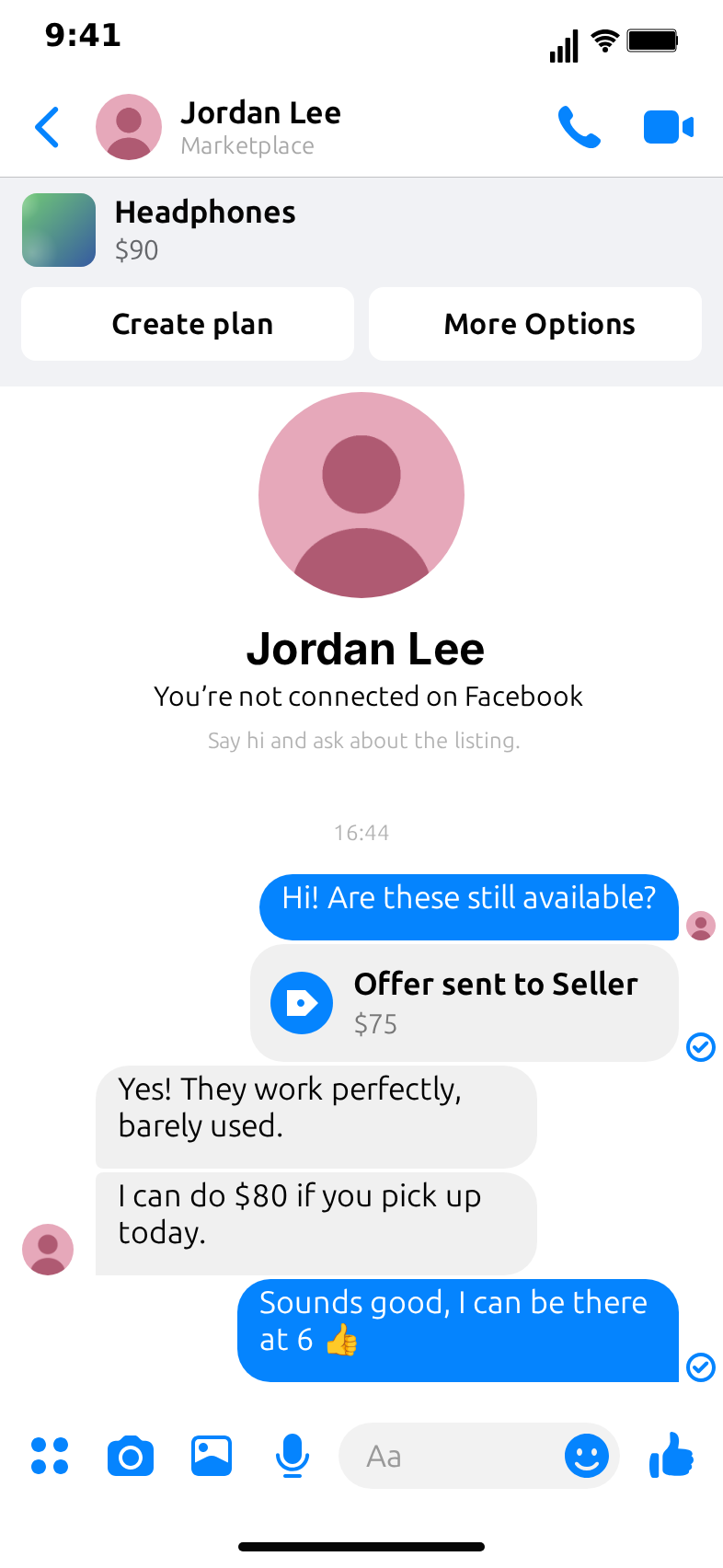
Listing: headphones, $90, from the Electronics example.
Beats: "Would you do $70 if I also take the speaker?" → "The speaker is $60" → "So $70 for both?" → "That's not how adding works" → an offer card for $130 from the buyer → "...deal."
Screens: the category grid for a beat, with the speaker moved to the second card so it shows next to the headphones, then the listing and the chat.
Timing: the seller's "...deal." after a long typing bubble.
6. The seller who knows too much
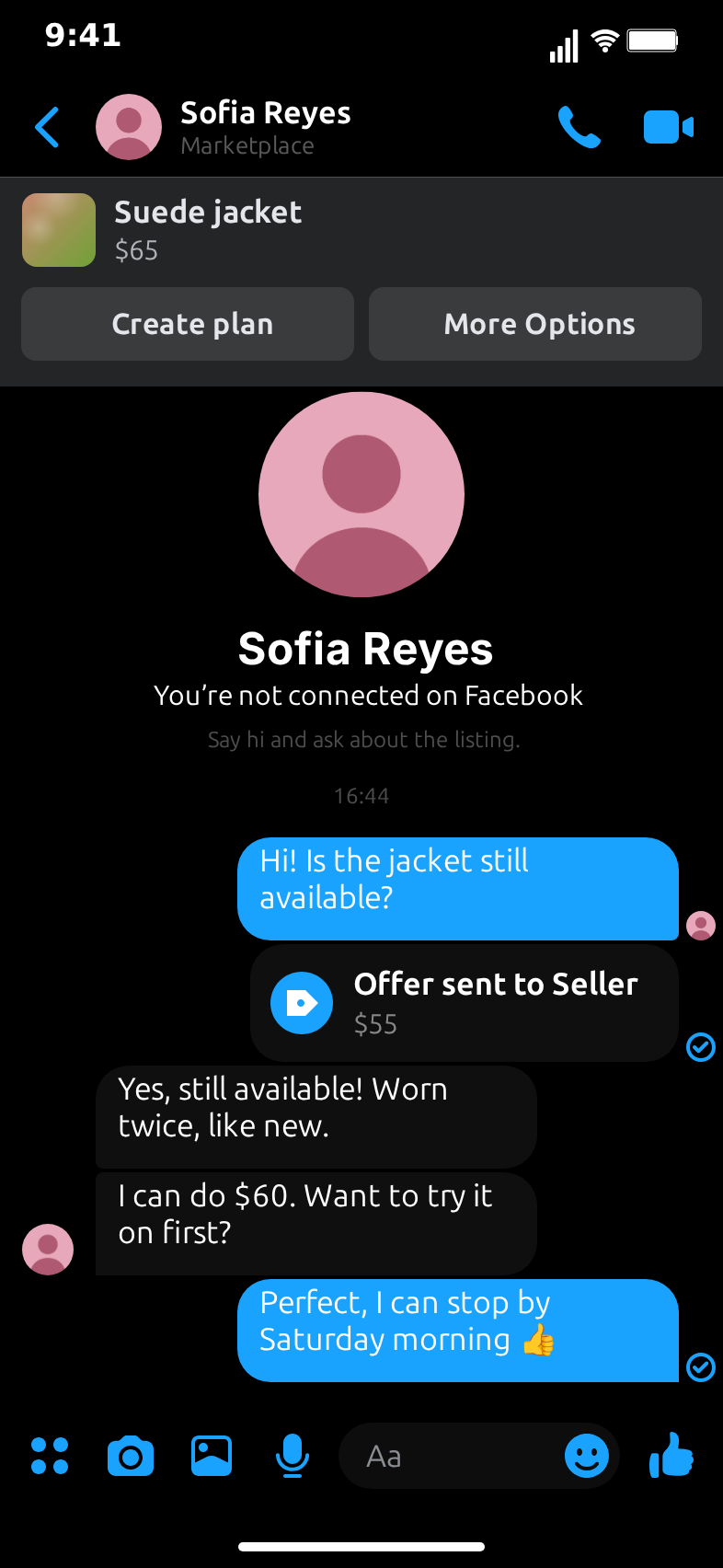
Listing: a suede jacket, $65, from the Clothes example.
Beats: the buyer asks if it fits a size M → the seller: "It will fit you perfectly" → "How do you know my size?" → "You liked my last three listings. All size M." → "...I'll take it."
Screens: the listing and the chat in dark theme. Dark suits the slightly creepy turn.
Timing: a long pause before "You liked my last three listings".
7. The price that goes up
Listing: a vintage bike, $120.
Beats: an offer card for $100 → the seller: "Someone offered $130" → "Fine, $130" → "Now someone offered $150" → "Who is offering?" → "My mum. She saw how much you want it."
Screens: the listing, then the chat.
Timing: every seller reply arrives a little faster than the last.
8. The honest seller
Listing: a desk lamp, $15, with a description line that says "Works sometimes".
Beats: "What does 'works sometimes' mean?" → "It works when it wants to" → "How often does it want to?" → "Tuesdays." → "I'll come on a Tuesday."
Screens: the listing (so the description can be read), then the chat.
Timing: hold the listing long enough to read the description: about 2.5 seconds.
9. The wrong person
Listing: a game console, $180, from the Electronics example.
Beats: the seller replies to the buyer's question with "Mum I told you I'm selling it, stop messaging me here" → "I'm not your mum" → "...is this Sarah?" → "No, I want the console" → "Oh. Sorry. Yes it's still available."
Screens: the chat only. Start the flow on the chat for a fast hook.
Timing: a quick first reply; the confusion is the hook.
10. The two-word negotiation
Listing: a mirror, $50.
Beats: "$30?" → "$45." → "$35?" → "$45." → "$44?" → "Deal."
Screens: the chat only, with the keyboard set to auto so every number types into the input bar.
Timing: short delays everywhere, then a longer pause before "Deal."
11. The pick-up logistics
Listing: a wardrobe, $60, "Pickup only".
Beats: the buyer: "Can it fit in a small car?" → the seller: "What car?" → "A two-door hatchback" → "It's two metres tall" → "I'll bring a friend" → "With a van?" → "With a bigger friend."
Screens: the full browse; the description line "Pickup only" sets up the joke.
Timing: keep every message short so the rhythm builds.
12. The reseller's flip
Listing: a chair at $20 on the category grid, then the same chair, repainted, at $120 on your own listing.
Beats: tell the story with two short clips: the first buys the chair for $20 ("Can I come in an hour?"); the second shows your listing of the flipped chair and a buyer who offers $100.
Screens: for each clip, the category and the listing, then the chat. Use your own photos of the chair before and after. They belong to you, so the before-and-after can be real even though the conversation is a skit.
Timing: keep each clip under 15 seconds and post them as a pair.
Picking the category for each idea
The browse screens are part of the joke, so match them to the item. Most of the ideas above fit one of the template's ready-made examples:
- Furniture: the lowballer, "barely used", the honest seller, the pick-up logistics and the reseller's flip.
- Electronics: the bundle negotiator and the wrong person.
- Clothes: the seller who knows too much.
- Vehicles: the test-drive no-show and the price that goes up (a bike works as well as a car).
For anything else, such as garden tools, baby gear or concert tickets, pick any example and rename it on the Category tab: the page title, the breadcrumb, the location and the six cards. Then put the category on the first home tile and the item on the first card, because those are the ones the video taps on its way to the listing.
Turning the ideas into a weekly series
Skits work better as a series than as one-offs, because viewers come back for a format they know. A simple weekly plan:
- Monday: the lowball. One lowballer skit with a new category each week: furniture, then electronics, then clothes, then vehicles.
- Wednesday: the seller. A skit from the seller's side, such as the honest seller or the seller who knows too much.
- Friday: the logistics. Pick-ups, no-shows and wardrobes that don't fit in cars.
Keep the same seller name and avatar for a recurring character, and change the listing each time. A recurring seller gives the comments something to come back to.
A timing cheat sheet
- Home: 1 to 1.5 seconds. Long enough to see the tiles, short enough not to bore.
- Category: 1.2 to 1.5 seconds.
- Colour filter: about 1.2 seconds, and only when the colour matters to the joke.
- Listing: 1.8 to 2.5 seconds; longer when the description holds the setup.
- Typing bubble before a punchline: 1.5 to 2.5 seconds.
- Last frame: hold it for at least 1.5 seconds so the last line can be read.
Making the clips feel natural
- Write like people type. Short lines, lowercase where it fits, a question mark instead of a full sentence.
- Let the listing speak. The price, the old price, the condition and one description line can do most of the setup.
- One offer card per clip. It's the moment the haggle starts; more than one dilutes it.
- Match the category. A grid of furniture behind a phone listing confuses viewers. Use the Electronics example, or rename the category, so the tiles and cards match the item.
- Use your own photos. The default photos are neutral gradients. When you upload real photos, use your own items or photos you have the rights to.
Drafting with Describe it
Describe it, the AI option in the editor, drafts a whole clip from one sentence. It needs a Google or GitHub sign-in. A few sentences that give good first drafts:
- "a buyer offers $40 for a $300 dining table and the seller pretends not to understand"
- "the seller says the couch is barely used, but the dog sat on it every day for three years"
- "I book a test drive for a used hatchback and then don't show up"
- "two people negotiate a mirror with only numbers until they agree on $44"
The AI fills in the category, the listing, the messages, the offer card and the flow; you then tune the timing and the punchline by hand. The Describe it guide explains how it works, and there are more sentences in the prompt ideas for TikTok and Shorts.
Exporting for each platform
- TikTok, Reels and Shorts: vertical 9:16, MP4, 30 frames per second.
- Feeds: the 1:1 crop works for square feed posts.
- Group chats and comments: a GIF of the punchline alone, without the browse screens.
Exports on the free plan carry a small watermark; the pricing page lists what the paid plans add.
Related templates
When the deal moves into a regular chat, the Messenger template and the WhatsApp template cover the conversation without a listing. For second-hand fashion browsing, the Vinted template has scrolling listing cards and hearts that pop. And if you want to use the template for safety content, the Marketplace scam awareness guide shows how to build fictional red-flag chats.
Free to use. No sign-up. Browser-based.
Make a Facebook Marketplace skitFrequently Asked Questions
What makes a good Facebook Marketplace skit?
One clear situation everyone has lived, a short haggle of four to six messages and a last line that flips it. The listing does half the work: a price, an old price and a description line set up the joke before the first message.
How long should a Marketplace skit be?
Most of the ideas here run between 12 and 25 seconds. Skip the browse screens and start on the listing for the shortest version, or keep the home, category and listing steps when the browse is part of the joke.
Can I make these for categories other than furniture?
Yes. The template has ready-made Furniture, Electronics, Clothes and Vehicles examples, and you can rename the category and edit its tiles, breadcrumb, location and six item cards for anything else.
Can I use real sellers or real listings?
No. Keep every person, listing and photo fictional or your own. Copying a real person's listing or messages can mislead viewers and may break the platform's rules or the law where you live.
Do I need to sign up to make these clips?
No. The manual editor works without an account and exports with a small watermark. Describe it, which drafts a clip from one sentence, needs a Google or GitHub sign-in. See the pricing page for plans.
Related Articles
How to Make a Fake Facebook Marketplace Chat Video (Free)
Step-by-step: build a fake Facebook Marketplace chat video in your browser, from the home screen and category grid to the listing, the offer and the haggle.
How to Make a Marketplace Scam Awareness Video (Free)
Make short safety videos that show common Facebook Marketplace scam red flags as fictional chats, each ending on the safe reply. Free, exports MP4.
AI Chat Video Prompt Ideas for TikTok, Reels and Shorts
30+ ready-to-paste prompts for MockClip's Describe it mode: WhatsApp, iMessage, Telegram, ChatGPT, Reddit, Tinder and more. One sentence in, a chat video out.