Creating App Mockup Videos for Instagram Reels
Instagram Reels has become a primary discovery surface for new content. With over 2 billion monthly users, it's one of the biggest audiences you can reach — and app mockup videos are a proven format for Reels growth.
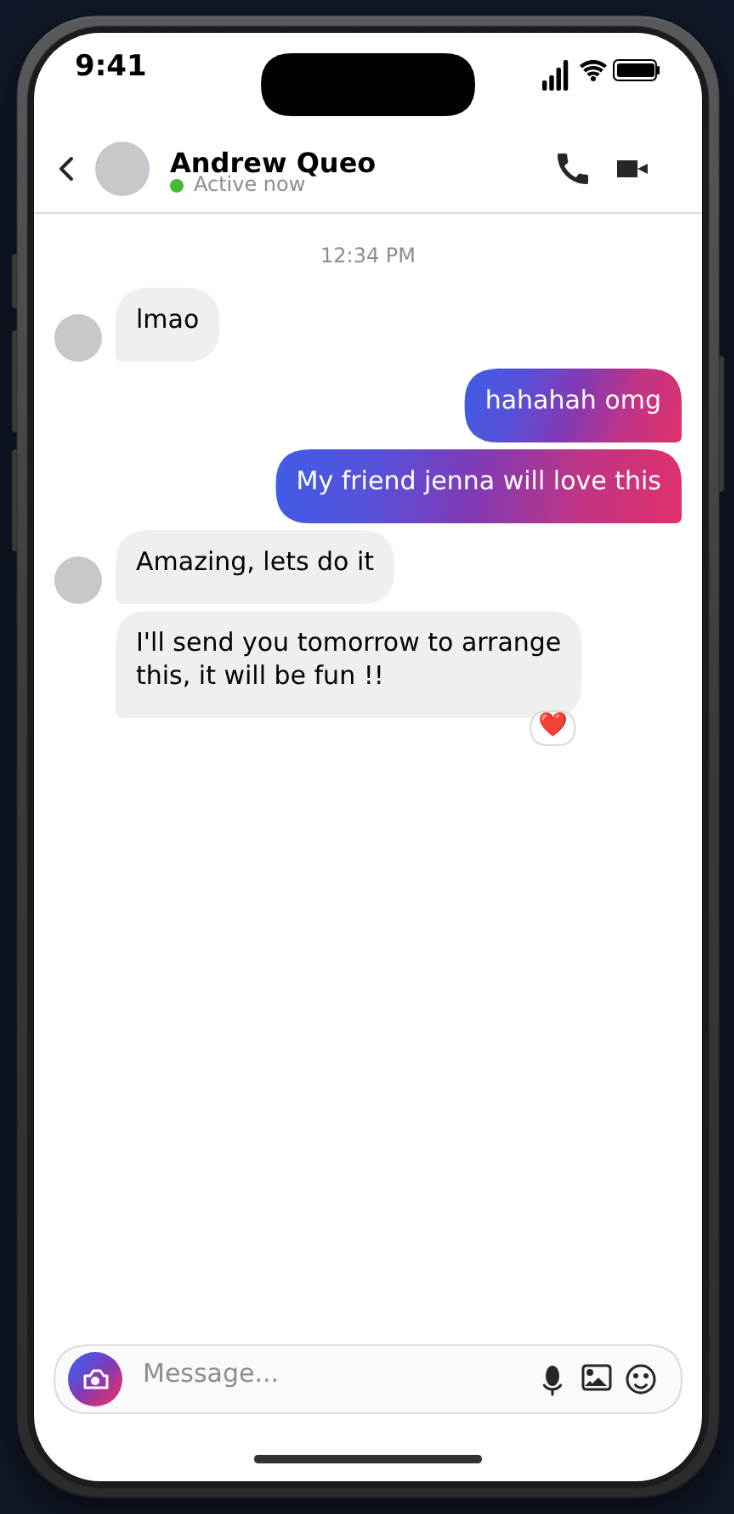 Here's how to optimize your MockClip videos specifically for Instagram Reels.
Why Mockup Videos Work on Reels
Instagram Reels rewards content that keeps people on the app. Mockup videos do this by:
- Creating suspense through progressive message reveals
- Using familiar phone UIs that feel native to mobile viewing
- Driving comments with open-ended conversations or controversial takes
- Encouraging saves (people save content they want to reference or share)
The format also crosses niches easily. Relationship content, comedy, education, career advice — the phone mockup format adapts to any topic.
Reels-Specific Optimization
The Sound-Off Problem
A significant percentage of Instagram users browse with sound off, especially in the feed. This means your video needs to work visually without audio:
- The conversation itself is visual text — this already works without sound
- Add a text overlay hook in the first frame: "Wait for the last message..." or "This is insane"
- Use MockClip's visual animations (typing indicators, streaming text) which work silently
Cover Images
Your Reel's cover appears on your profile grid. Choose a frame that:
- Shows the beginning of the conversation (the hook)
- Has readable text
- Looks clean against your grid aesthetic
Caption Strategy
Instagram captions can be up to 2,200 characters. Use them:
- Line 1: Hook that complements the video ("I still can't believe this response")
- Lines 2-3: Context or storytelling that adds depth
- Hashtags: 5-10 relevant hashtags (#fakechat #textmessage #aimemes #chatgpt #contentcreator)
- CTA: "Save this for later" or "Tag someone who needs to see this"
Carousel Reels
Instagram now supports carousel Reels. Create a series of related conversation clips:
- The original conversation
- "Part 2: I asked a follow-up"
- "The update"
This drives multiple views and increases profile visits.
Best Performing Formats on Reels
DM Conversations
Instagram DM mockups feel especially native on Instagram. "Imagine getting this DM from [celebrity]" resonates with the Instagram audience.
Create an Instagram DM video →
ChatGPT Conversations
AI content performs well across all platforms, and Instagram is no exception. "I asked ChatGPT to write my Instagram bio" blends AI content with Instagram-specific relatability.
Text Message Drama
Storytime text conversations are a Reels staple. The format translates directly from TikTok with high engagement.
Content Calendar for Reels
A sustainable posting schedule for mockup video content:
- Monday: ChatGPT conversation (AI content for the week)
- Wednesday: Text message story (drama or comedy)
- Friday: Instagram DM or Tinder mockup (lighter weekend content)
Three Reels per week with MockClip takes about 30 minutes of total production time. Batch-create them in one session.
Free app mockup videos. Export as MP4 for Instagram Reels.
Create Reels ContentGrowing Your Reels Audience
Collaborate. Tag other creators in conversation mockups. "POV: @username slides into your DMs" — if they engage, both audiences benefit.
Remix. Let others remix your Reels. Controversial conversation endings invite remix responses.
Use Insights. Instagram's built-in analytics show which Reels get the most reach, saves, and shares. Double down on formats that perform.
Cross-post to Stories. Share your Reel to Stories with a "New Reel" sticker to drive initial views from your existing followers.
Create Instagram Reels-ready mockup videos at mockclip.com — free, browser-based, with all the animations and sound effects built in.
Related MockClip templates and guides
MockClip's Instagram DM template is the closest match to native Reels mockup content. For broader app-mockup strategy across platforms, see the social media mockup video guide. For Instagram-specific DM production details, read how to create a fake Instagram DM video.
Frequently Asked Questions
What aspect ratio does Instagram Reels use?
Instagram Reels uses 9:16 vertical format. MockClip exports in phone-format video that fits this ratio perfectly.
Can I schedule Reels with MockClip videos?
Yes. Export your MP4 from MockClip, then use Instagram's built-in scheduling feature or a third-party tool like Later or Buffer to schedule your Reels.
What's the maximum Reels length?
Instagram Reels can be up to 90 seconds, but 15-30 seconds performs best for mockup video content. Shorter videos have higher completion rates.
Should I add text overlay to my Reels?
Yes. Add a hook as text overlay in the first 2 seconds — many Instagram users browse with sound off, so the text hook ensures they stop scrolling.
Related Articles
App Mockup Videos for Social Media: The Complete Guide
Create app mockup videos for TikTok, Reels, and Shorts. Templates, tips, and strategies for social media content creators.
How to Make Phone Mockup Videos for TikTok
Create phone mockup videos optimized for TikTok. Step-by-step guide with templates, timing tips, and export settings.
How to Create Fake Text Conversation Videos for YouTube Shorts
Make animated fake text conversations optimized for YouTube Shorts — with templates, monetisation strategy, voiceover tips, and a full posting playbook.