Best Fake Text Message Video Makers for Content Creators
Fake text message videos are one of the most popular content formats on TikTok, Instagram Reels, and YouTube Shorts. Whether you're creating storytime content, comedy skits, or dramatic reveals, an animated text conversation grabs attention in a way that screenshots simply can't.
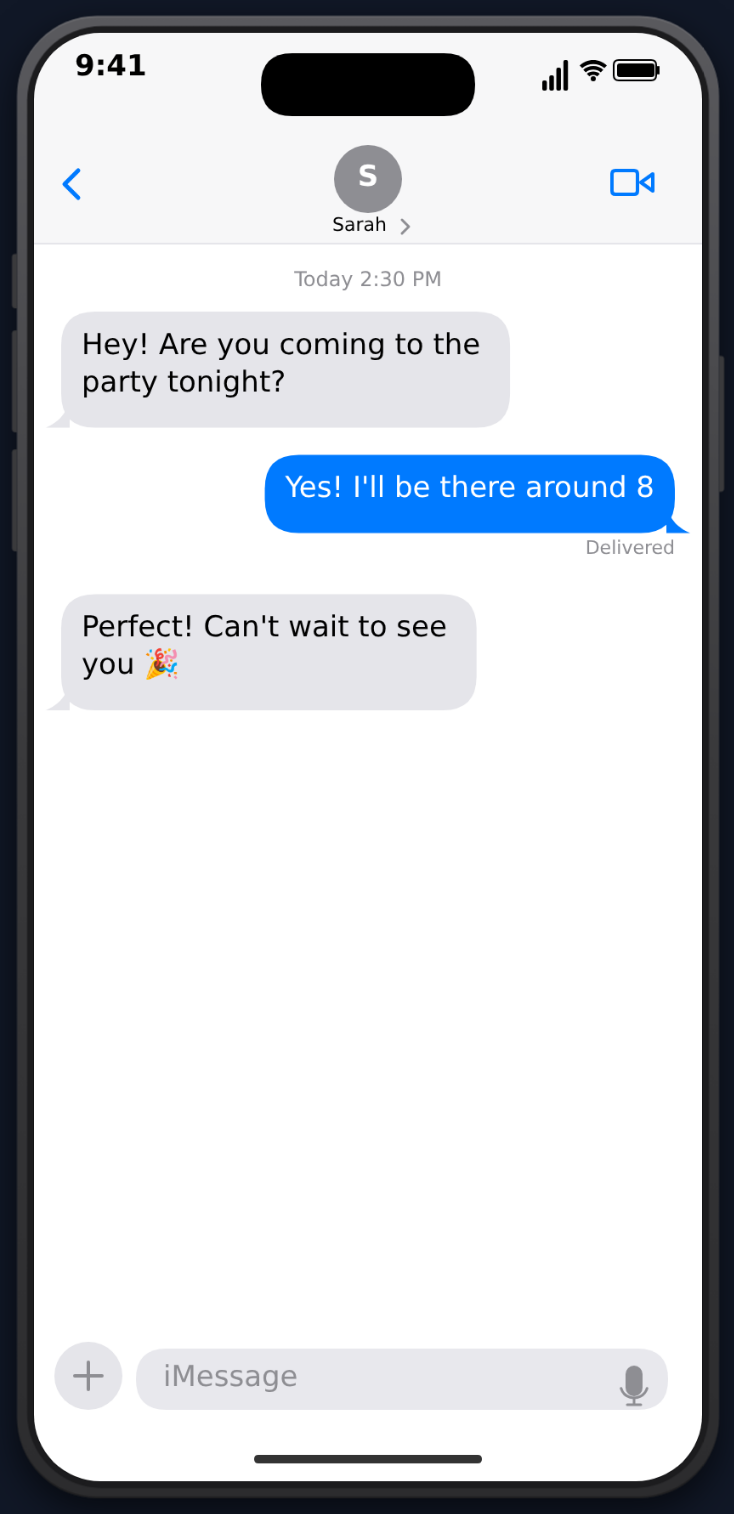 But which tool should you use? Here's a breakdown of the best options available in 2026.
What to Look For in a Text Message Video Maker
Before comparing tools, here's what matters most:
- Realistic animations — typing indicators, message bubbles appearing, read receipts
- Multiple platforms — iMessage, WhatsApp, and other messaging apps
- Video export — MP4 output ready for social media, not just screenshots
- Customization — timing controls, sound effects, themes
- Ease of use — no learning curve, works in the browser
The Top Tools Compared
1. MockClip
MockClip is a browser-based app mockup video creator built specifically for social media content. It stands out because it exports animated video, not static images.
What it does well:
- Realistic iMessage and WhatsApp templates with accurate UI
- Typing indicator animations and message bubble transitions
- Sound effects (keyboard taps, notification sounds)
- Scrolling for long conversations
- MP4 export ready for TikTok/Reels/Shorts
- Free to use, no account required
Templates: iMessage, WhatsApp, ChatGPT, Instagram DM, Tinder, Reddit, and more.
Create your first video at mockclip.com/app/imessage or mockclip.com/app/whatsapp.
2. iFake Text Message
A web-based tool focused on generating fake iMessage screenshots. It's simple to use but produces static images only — no video export, no animations, no sound.
Limitations: No animation, no WhatsApp support, no typing indicators, image-only export.
3. Fake Chat Conversations (Android App)
A mobile app that simulates various chat interfaces. Offers decent customization but requires installing an Android app and screen recording to capture the animation.
Limitations: Android only, requires screen recording, inconsistent quality, ads.
4. TextingStory
A popular mobile app that creates text conversation videos. It features a split-screen format showing both sides of the conversation. Good for simple back-and-forth dialogues.
Limitations: Limited to a specific visual format, doesn't replicate real app UIs accurately, subscription-based for full features.
5. Prankly
A mobile app for creating fake chat screenshots across multiple platforms. Has some animation features but primarily designed for pranking rather than content creation.
Limitations: Heavy focus on pranks, limited video export options, contains ads.
Feature Comparison
| Feature | MockClip | iFake Text | TextingStory | Fake Chat |
|---|---|---|---|---|
| Animated video export | Yes (MP4) | No | Yes | Screen record |
| iMessage template | Yes | Yes | Custom style | Yes |
| WhatsApp template | Yes | No | No | Yes |
| Typing animations | Yes | No | Yes | Partial |
| Sound effects | Yes | No | No | No |
| Browser-based | Yes | Yes | No (App) | No (App) |
| Free tier | Yes | Yes | Limited | Ads |
| Scrolling support | Yes | No | No | No |
Why Animated Videos Outperform Screenshots
Screenshots are easy to make but they have a major problem: they don't hold attention. On platforms like TikTok and Instagram Reels, where watch time is everything, a static image loses viewers in the first second.
Animated conversation videos solve this because:
- They create suspense — viewers watch each message appear, wondering what comes next
- They feel authentic — the typing indicators and animations mimic real conversations
- They boost watch time — the progressive reveal keeps people watching until the end
- They're algorithm-friendly — higher watch time means more algorithmic distribution
Getting Started
The fastest way to create a fake text message video is to use MockClip's browser-based editor. Pick your template (iMessage or WhatsApp), type your conversation, adjust the timing, and export.
Free, browser-based, no account needed. Export as MP4 in minutes.
Create a Text Message VideoNo downloads, no sign-up, no video editing skills required. MockClip handles the animation, sound effects, and rendering — you just write the conversation.
Related MockClip templates and guides
If you land on MockClip, the main templates to start with are iMessage, WhatsApp, and Instagram DM. Browse the full set at the MockClip app index. For step-by-step production guides, see how to create a fake Instagram DM video, fake text conversation videos for YouTube Shorts, and how to go viral with fake conversation videos.
Frequently Asked Questions
What is the best free fake text message video maker?
MockClip is the best free option for creating animated text message videos. It runs in your browser, requires no account, and exports directly to MP4 with realistic typing animations and sound effects.
Can I create both iMessage and WhatsApp style videos?
Yes. MockClip offers separate templates for iMessage and WhatsApp, each with accurate UI styling, bubble colors, and platform-specific details like read receipts and timestamps.
Are fake text message videos allowed on TikTok and YouTube?
Yes. Fake conversation videos are a popular content format on all major platforms. Just make sure your content follows platform guidelines and doesn't impersonate real people with harmful intent.
Do I need video editing software to make these?
No. MockClip handles the entire process — you type the conversation, customize the timing, and export a finished MP4 video. No editing software needed.
Related Articles
How to Create a Fake ChatGPT Conversation Video
The complete 2026 guide to creating realistic fake ChatGPT conversation videos for TikTok, YouTube Shorts, and Reels — no coding, no editing, free.
How to Create a Fake Instagram DM Conversation Video
Step-by-step tutorial for creating realistic fake Instagram DM conversation videos for TikTok, Reels, and Shorts using MockClip's free online editor.