LinkedIn Post Video Ideas for TikTok, Reels and Shorts
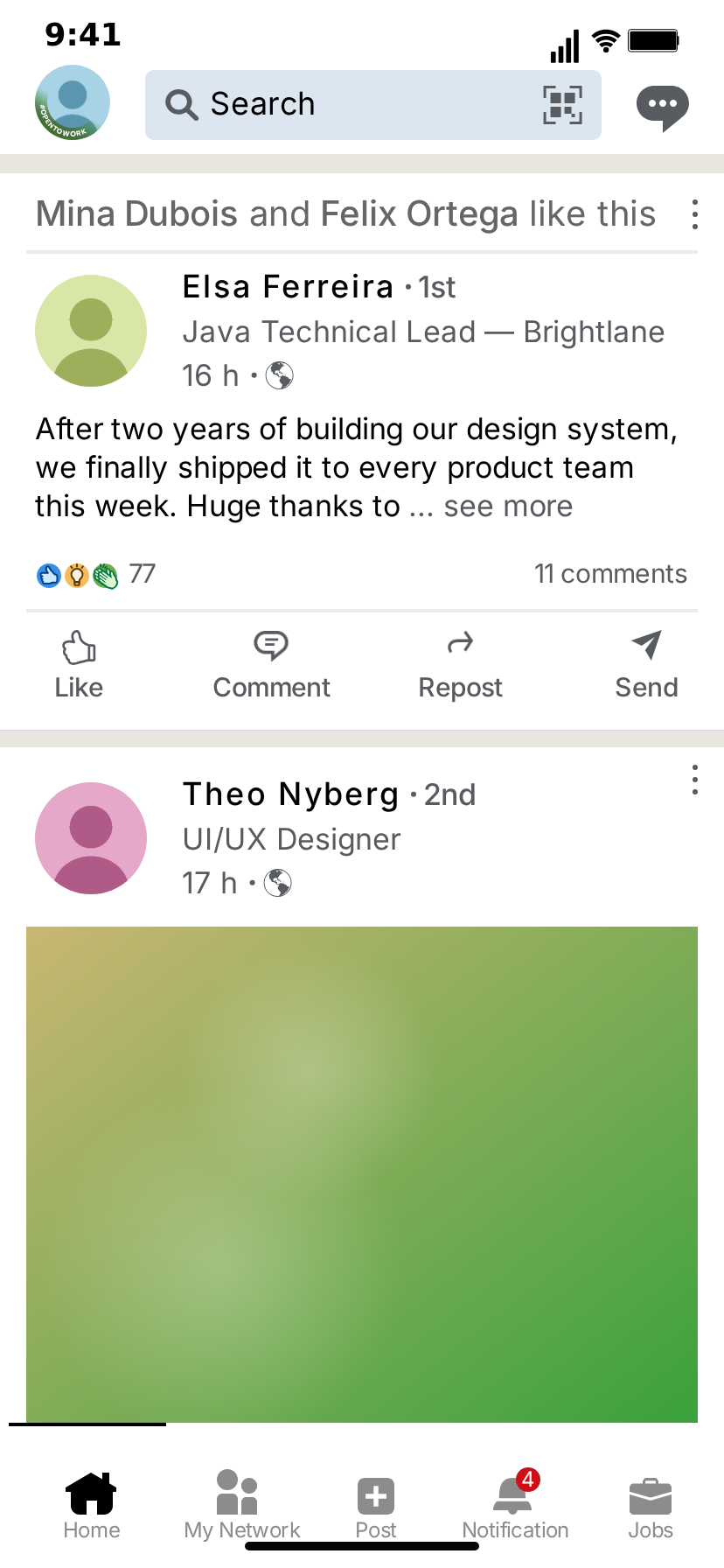
The LinkedIn feed has a voice everyone can imitate. "I'm humbled to announce", "Agree?", "Here's what my toddler taught me about B2B sales", a headline with five job titles and an emoji. That voice is instantly recognizable, which makes it perfect for short-form skits: the format is the setup, and what you put in it is the punchline.
Below are twelve ideas you can build with MockClip's free LinkedIn post template, each with the posts to write and the script steps that make it move. Every post is written by you, with invented people and companies. Nothing is posted to LinkedIn.
Why LinkedIn feed skits work
Instant recognition. The "· 1st" after a name, the job title under it, "2h" with a globe, three lines of text cut off with "… see more" and a cluster of reaction icons: viewers know where they are before they read a word.
The see-more cut is a built-in cliffhanger. The card shows three lines and stops. Put the setup in those lines and the twist in the next beat of the video.
Numbers tell a story. A count rolling from 3 to 1,200, or a post stuck at 2 reactions while the one next to it explodes: the reactions row does the comedic timing for you.
The hook
You have about a second. Start on the post itself, with the most LinkedIn-sounding first line you can write, and let the like or the scroll happen within the first two seconds. A caption on top ("POV: your manager just posted") sets the frame.
What you can show (and what you cannot)
Knowing the template's limits saves time before you write a script.
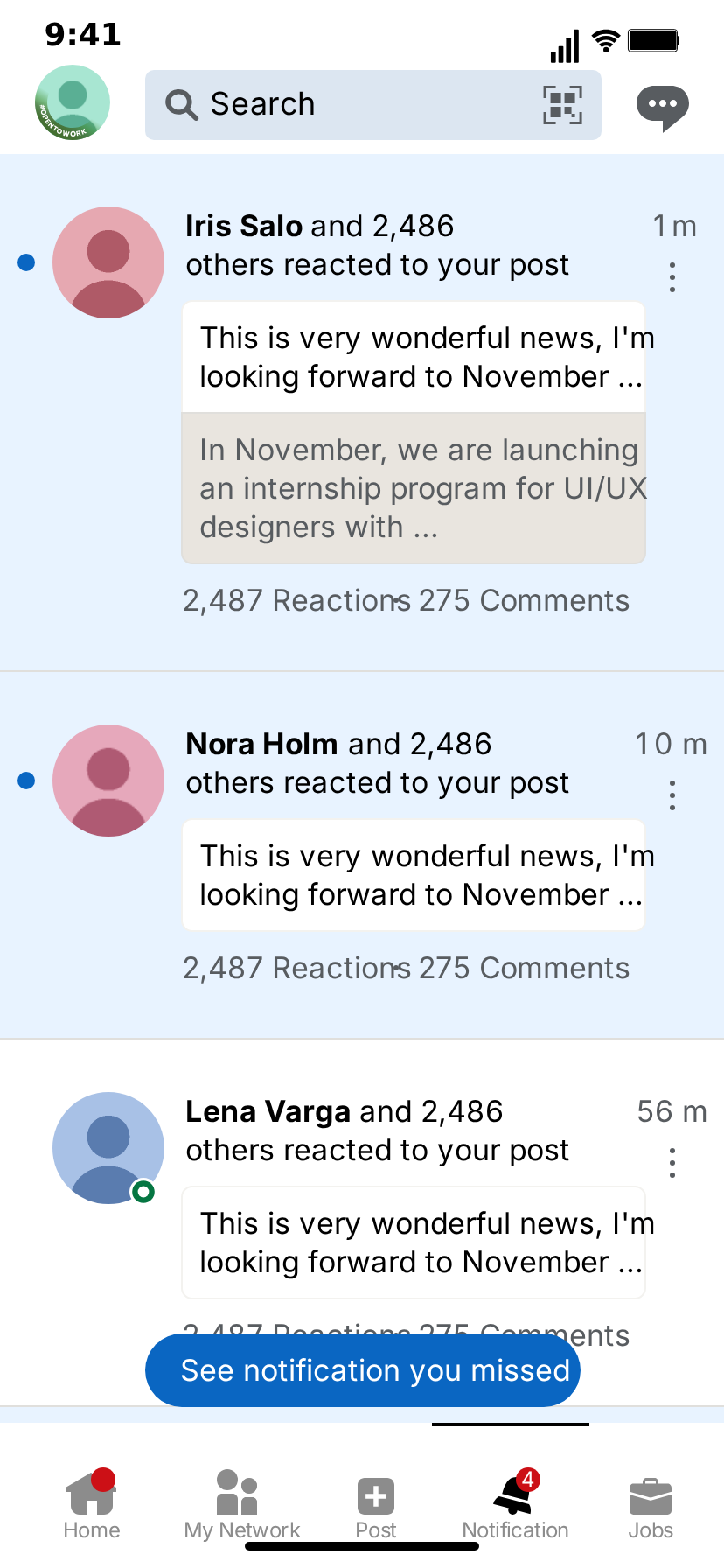
You can show: the home feed with as many posts as you like; per post a name, the connection degree ("1st", "2nd", "3rd+"), a headline, the time, a "likes this" line with bold names, text that is cut after three lines with "… see more", a photo, the reactions with their count, comments and reposts, and the Like, Comment, Repost and Send row. During the clip the feed can scroll, posts can be liked or reposted with the count going up, and new posts can slide in from a pill at the top. Around the feed there is the share screen, where your own post is written and then lands on the feed, and the notifications screen with three people who reacted.
You cannot show: a post opened on its own screen, the comments under it, choosing a reaction type, video posts, polls or documents, your profile page, or the post being typed letter by letter. If an idea depends on one of these, rewrite it so the punchline lives in the post text, the headline, the numbers or a new post sliding in.
Hooks that stop the scroll
The first second decides whether anyone reads the post. Hooks that fit this format:
- A familiar first line, twisted. "I'm humbled to announce… that I finally cleaned my inbox."
- A number that makes no sense. A one-line post with 48,000 reactions, or a heartfelt essay with 2.
- A headline that does the talking. Start on the card with the headline in view, so "Ex-CEO of my own LLC (0 employees)" is the first thing anyone reads.
- A pill out of nowhere. Start on a quiet post and drop a "12 new posts" pill in the first second: viewers wait to see what slid in.
Put the hook in the clip, not only in the caption. Many people watch with the caption covered by the app's own interface.
12 ideas you can build
1. The humble brag
- Post: you, "1st", "Chief Visionary Officer | Speaker | Dad", text: "I'm humbled and honoured to announce that I have been selected as Employee of the Month. I couldn't have done it without me."
- Script: like the post after one second; a new posts pill brings in two colleagues congratulating you.
- Twist: the reactions count rolls from 2 to 3.
2. The layoff "new chapter"
- Post: "After an incredible 14 months, today marks the beginning of a new chapter. 🚀 Excited to see what's next!" with a "Sam Lee and Mia Cho like this" line above.
- Script: scroll to the post, like it.
- Twist: cut to the notifications screen: three people "reacted to your post".
3. The thought leader who learned it from coffee
- Post: "This morning the barista spelled my name wrong. Here's what it taught me about customer success:" and let the see-more cut do the rest.
- Script: hold three seconds on the cut, then a new post slides in: the barista's reply.
4. The recruiter who did not read the profile
- Post 1: a recruiter, "3rd+", "Talent Partner at Brightlane": "Looking for a Senior Java Developer with 10 years of Rust experience. Entry level. Unpaid."
- Post 2: you, reposting it.
- Script: repost post 1, scroll to post 2.
5. The hiring post with a photo
- Post: "We're hiring! Join a team that feels like family 💙" with a team photo.
- Script: like it; a new posts pill brings in the comment-style post: "Does the family also pay overtime?"
6. Agree?
- Post: a one-line hot take ending in "Agree?", likes 0.
- Script: like it: the reactions row appears with 1.
- Twist: the only like is from the author's mum, named in the "likes this" line.
7. The B2B launch mockup
Not every clip is a joke. Marketing teams use the feed to preview a launch post before it goes out:
- Post: your company's launch announcement with a product screenshot, realistic numbers (24 reactions, 6 comments).
- Script: scroll to it from a neutral post above, like it.
- Use: a pitch deck, a client approval video, or a "how our launch performed" recap.
8. Writing your own post, live
- Share post: write your post on the share screen tab.
- Flow: feed, tap the Post tab, share screen, back to the feed with your post on top.
- Twist: the post below yours is someone else's identical announcement.
9. The comment section that was not invited
- Post: a sincere career update: "Three years ago I was rejected from 40 jobs. Today I start my own company."
- New posts: three posts from "1st" connections that are all about themselves: "Congrats! Speaking of starting things, my webinar starts in 10 minutes", and so on.
- Script: like the post, then the pill brings the three posts in on top.
10. Corporate translation
A two-post format that works as a series:
- Post 1: the LinkedIn version: "Thrilled to share I've been given the opportunity to take on additional responsibilities."
- Post 2: the same person, "now", the honest version: "My coworker quit and nobody replaced her."
- Script: scroll from post 1 to post 2 with the fling easing.
Run it weekly with a different phrase each time: "fast-paced environment", "we're like a family", "competitive salary".
11. The engagement-bait post
- Post: "Comment YES if you agree that hard work pays off 👇", likes 4,200, comments 3,100.
- Script: like it; the count rolls from 4,200 to 4,201.
- Twist: the caption on top: "The post that taught me nothing".
12. The intern's first post
- Post: an intern, "3rd+", headline "Intern | Future CEO | Open to work", text about "leveraging synergies" on day two.
- Script: a new posts pill brings in the manager's post: "Please stop posting about the internal roadmap."
Making it a series
Feed skits work best as a recurring format: viewers learn the setup and come back for the punchline.
- Keep the cast. Reuse the same names, headlines and avatars across episodes. MockClip saves the project, so the next episode starts from the last one.
- One running gag per character. The colleague who always reposts, the founder whose headline gets longer every week, the recruiter who never reads profiles.
- Number the episodes in the caption, not in the post, so the feed itself stays believable.
- Alternate light and dark. Switching the theme between episodes is a cheap visual change that keeps a series from looking repetitive.
Captions and on-screen text
The clip carries the feed; the caption carries the frame. A few patterns that work on TikTok and Reels:
- POV captions: "POV: your boss just posted about work-life balance at 2 a.m."
- Translation captions: the LinkedIn sentence in the post, the plain-English version in the caption.
- Rating captions: "Rating LinkedIn posts out of 10" with the score revealed at the end of each clip.
Keep the caption above the status bar or below the tab bar, so it does not cover the post text. With the bezel on, there is extra room around the phone for text.
Combining it with the message template
Some stories need both sides of LinkedIn. The LinkedIn message template animates a one-to-one conversation with a recruiter, a video meeting card and the call screen. A classic two-clip structure:
- The feed: a recruiter posts "We're hiring passionate rockstars!" and you like it.
- The messages: the same recruiter writes "Hi! Are you open to a junior role, 6-month contract, no salary yet?"
Post them as a pair or stitch them in your editor.
Pacing
- Keep each screen on for two to four seconds; LinkedIn posts are wordy, so give the first line time to be read.
- One like or one new posts pill per beat. Stacking several actions at once blurs the joke.
- End on the punchline frame and hold it for a second before the loop.
- Put the twist in the last third of the clip. If the like is the punchline, give the text a full second before it so the count roll lands as the reveal.
- For a series, keep the timing the same in every episode: viewers learn the rhythm and wait for the beat.
Export settings for short-form
- 9:16 MP4 at Full HD for TikTok, Reels and Shorts; 1:1 for LinkedIn or Instagram feeds.
- 30 fps is plenty for a feed; 60 fps is available on the Creator plan.
- Bezel on for "this is a phone" framing, off when you add your own frame or captions.
A posting checklist
Before you export:
- The first line of every post can be read in under two seconds.
- No real person's or company's name appears anywhere, including the "likes this" line and the headlines.
- The numbers fit the story: a quiet post has quiet numbers, and a viral one has the comments to match.
- The video flow ends on the punchline, not on a transition.
- The caption says "parody" or "skit" when the post could be mistaken for a real one.
Keep it fictional
MockClip is independent and not affiliated with LinkedIn Corporation. Use invented names, headlines and companies, label parody as parody, and never present a made-up post as something a real person or company wrote.
Build one now
The step-by-step guide is in How to make a fake LinkedIn post video. For skits in the inbox instead of the feed, see LinkedIn message video ideas.
Free to use. No sign-up. Browser-based.
Make a LinkedIn post videoFrequently Asked Questions
What makes a LinkedIn post skit work on TikTok?
The gap between the polished LinkedIn voice and what is really going on. A layoff written as a 'new chapter', a coffee order turned into a leadership lesson, a headline with four job titles: viewers know the register, so the joke lands in the first second.
How long should a LinkedIn feed clip be?
Ten to twenty seconds for most skits: hold on the post long enough to read the first line, let the likes roll, then cut to the twist, such as a new post sliding in or the share screen.
Can the likes go up during the video?
Yes. A like step turns the Like button blue and rolls the reactions count to its new value, and a post with no reactions gets its reactions row when it is liked.
What format should I export for TikTok, Reels and Shorts?
Vertical 9:16 MP4. MockClip exports at 720p or Full HD and 15 to 30 fps, or 60 fps on the Creator plan, with or without the iPhone bezel, and also offers a 1:1 square crop for feeds.
Is it allowed to post fake LinkedIn posts?
Fictional skits and parodies are common content. MockClip is independent and not affiliated with or endorsed by LinkedIn Corporation. Use invented names and companies, and do not present a made-up post as real or put words in a real person's mouth.
Related Articles
How to Make a Fake LinkedIn Post Video (Free, Online)
Step-by-step: build an animated LinkedIn feed in your browser, with post cards, reactions that count up, a see-more cut, the share screen and notifications.
LinkedIn Message Video Ideas for TikTok, Reels and Shorts
Recruiter outreach, job-hunt wins, cold pitches, referral asks and networking humour: LinkedIn message skit ideas with who-says-what scripts you can build.
How to Go Viral With Fake Conversation Videos in 2026
Data-driven strategies for going viral with fake conversation videos on TikTok, Reels, and Shorts. Hooks, timing, and growth tactics.