How to Make an App Demo Video Without Coding or Screen Recording
You want a slick app demo video — a polished phone-frame animation that shows your product in motion. But you don't know how to code, you don't want to spend three months learning After Effects, and screen recording your real phone gives you choppy results with notifications popping up mid-take. Investors won't watch a wireframe. The App Store doesn't accept a static screenshot.
There's a faster way that produces dramatically better-looking results, and it doesn't require any of the traditional skills the production usually demands.
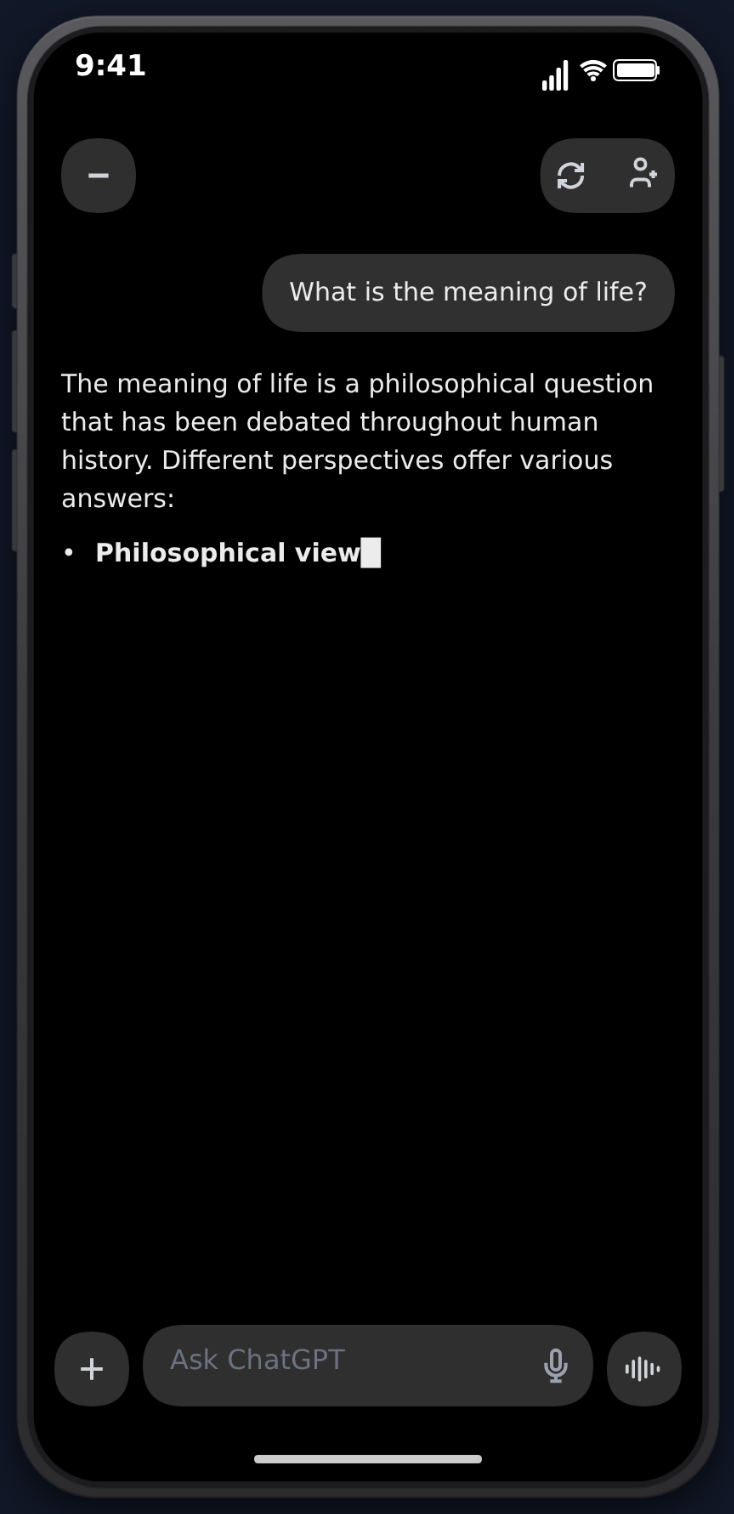
This guide walks through the complete workflow for producing a professional app demo video with MockClip — what each traditional method actually fails at, how the MockClip approach is different, the step-by-step production loop, the platform-specific considerations (App Store, Product Hunt, landing pages, social), and the monetisation and conversion math behind why investing in a good demo video is one of the highest-ROI moves an indie founder or app marketer can make.
The problem with the traditional methods
Three approaches dominate today, and each has a specific failure mode that makes it the wrong tool for most app demo videos.
Screen recording your real device
Screen recording feels like the obvious choice — it's how the giant tech YouTubers do their walkthroughs, after all. The reality of doing it for an app demo:
- No control over the UX. Real apps don't follow your script. Network requests are slow, animations stutter, and the "perfect" interaction takes 12 takes.
- Notification interference. Even with Do Not Disturb on, devices show low-battery warnings, "Charging" alerts, and time changes that break continuity if you have to retake.
- Quality issues. Frame drops on devices that aren't bleeding-edge new. Cursor artefacts on iOS. Resolution mismatches between iPad and iPhone capture.
- Privacy hazards. It's terrifyingly easy to accidentally capture real messages, real contacts, real bank balances. One slipped-up screen recording uploaded to App Store Connect can reveal a customer's name. This has happened to public companies.
- No retakes for the AI side. If you're showing a chat product, the user side is scriptable but the AI / other-person side isn't. Real ChatGPT and real customer service replies are non-deterministic.
The fundamental issue is that screen recording is the opposite of scripted production. You're hostage to whatever the device decides to do.
Video editing software (After Effects, Premiere, Final Cut)
The professional answer is: animate every UI element by hand in After Effects. The professional reality:
- Steep learning curve. Hours per video minimum, weeks of practice to get to "decent." Months to "good."
- Expensive subscriptions. $20-55/month for Adobe Creative Cloud, plus additional plugins.
- Time-consuming production. Recreating a phone UI frame by frame — every bubble shape, every transition, every keyboard key — takes a full work day for a 30-second clip.
- Massive overkill. You don't need Hollywood production for a phone-conversation demo. You need a clean, faithful render of a phone UI with your script playing.
For studios producing branded campaigns, After Effects is the right answer. For an indie founder who needs an app demo for the landing page by Friday, it's a disaster.
Screenshot generators
Browser tools that produce static fake conversation screenshots — FakeChat, the various iMessage screenshot generators, Apple's own Messages screenshot tools. They're fast, but they hit a wall:
- No animation. Static images don't hold attention on TikTok, Reels, Shorts, or even on a landing page hero. The eye glides past.
- No video export. You'd need to import the screenshots into a video editor and animate them yourself, which puts you back in After Effects territory.
- Low engagement. TikTok, Reels, Shorts, and YouTube reward video, not images. Twitter / X auto-loops short videos on the timeline; static images get a fraction of the impressions.
- No realism in the in-between. No typing bubble, no streaming text cursor, no thinking dot, no tapback animation. The little details that make the format feel real are gone.
Hiring a freelancer
The other escape valve — paying someone on Fiverr / Upwork / a motion-design studio. Realistic costs in 2026:
- $300-600 for a basic 30-second motion-design phone video from a Fiverr top rated
- $1,500-3,000 for a polished 60-second product demo from a small studio
- $5,000+ for a campaign-grade video from a brand-led studio
- 1-3 weeks turnaround in any tier
That's fine if your budget supports it. For a side project, an MVP, an A/B test of three different positioning angles, or a Tuesday-afternoon iteration on a demo that isn't converting — it's prohibitive.
The MockClip approach
MockClip sits in the gap between "free but low-quality" and "professional but expensive." It's a browser-based editor that produces high-fidelity animated phone videos in 3-5 minutes per render, with no software install, no account creation, and no per-video cost on the free tier.
The trade-off is that MockClip specialises in messaging-app and chat-shaped UIs rather than arbitrary app interfaces. The current template library:
- ChatGPT — full conversation UI with streaming text, thinking dot, action labels, and image generation animations
- iMessage — iOS blue-and-gray bubbles, typing indicator, tapback reactions, attachments
- WhatsApp — WhatsApp green palette, double-tick read receipts, voice-message UI
- Instagram DM — Instagram gradient bubbles, reactions, heart taps
- Tinder — swipe-card UI for the dating-app moments in a story
- Reddit — Reddit thread + comment UI for story-style content
- Phone-call notification — incoming-call banner and full-screen call UI
If your app is conversation-shaped — chat assistant, messaging product, AI co-pilot, customer-service tool, social-DM-based product — MockClip is the right fit. If your app is a 3D modelling tool or a complex dashboard, MockClip is not a substitute for your real UI; it's a substitute for the framing / hook scenes that contextualise your real UI.
Step-by-step: producing your first demo
Step 1: Pick the template that frames your story
Start by writing the one-sentence story your demo is telling, then pick the template. Common patterns:
- "A user texts our AI assistant for help and gets a great answer." → ChatGPT template
- "Two friends are messaging when our product comes up in conversation." → iMessage template
- "A potential match on a dating app is using our service." → Tinder template
- "Our customer service AI replies to a frustrated user." → WhatsApp template or Instagram DM
- "A user gets an alert about something happening in our app." → Phone call notification
The template is a frame. It's not the product itself — it's the context that the product appears in.
Step 2: Write a 15-30 second script
Length discipline is the single biggest determinant of demo quality. Most amateur demos are too long because the founder feels every feature deserves screen time. Successful demo videos are ruthlessly short:
- Hook (0-3 sec): the first message visible on screen. Make this interesting.
- Setup (3-12 sec): establish what the user wants and what's at stake.
- Resolution (12-25 sec): show the product solving the problem.
- CTA (25-30 sec): the closing message that subtly tells viewers what to do next.
Anything beyond 30 seconds bleeds attention except in long-form contexts (App Store preview where the spec allows up to 30 seconds anyway, presentation contexts where you have a captive audience). For social media and landing page hero, stay tight.
Step 3: Use the editor's structured form
The MockClip editor on the left is a structured form: title, sender names, message list. The right is a live preview that animates exactly what the export will produce.
Three editor habits that separate good output from great:
- Set realistic profile photos. Default avatars read as fake. Upload a real-looking image for the "user" side at minimum. For the AI / product side, your product's avatar or logo.
- Use the typing indicator deliberately. Place 1-1.5 sec typing pauses before the response to your product's pitch line. The pause manufactures suspense.
- Vary message length. Don't write five-message conversations where every message is the same length. Visually, that reads as scripted. Real conversations have short reactions and long substantive replies.
Step 4: Add UI features that match your product
If your product has real UI affordances, mirror them:
- AI streaming reply → use the ChatGPT template's streaming text feature. The cursor and per-character animation read as authentic. For the technical detail of how the streaming is implemented, see the streaming text animation guide.
- Image generation result → use the image-block reveal animation in the ChatGPT template. The blur-to-clear transition mimics DALL·E generation. Walkthrough in the image-generation animation guide.
- Notification-style alert → cold-open with the phone-call-notification template or use the dedicated phone-call-notification video guide.
- Reactions / tapbacks → use the iMessage tapback animation per the tapback guide.
The deeper your demo matches the real product's affordances, the less viewers question whether the demo is "real."
Step 5: Preview, iterate, export
Hit Play and watch the full animation. Common things to adjust:
- Hook strength — does the first 1.5 seconds carry the viewer?
- Pacing — anywhere a beat feels too long, shave 200-300ms
- Resolution clarity — is the moment-of-product-reveal visually distinct from the surrounding messages?
When the timing reads right, hit Export. MockClip renders to MP4 at 1080×1920 (vertical, the dominant aspect ratio for 2026 distribution). Free tier carries a small watermark; the Pro plan ships clean exports plus higher-resolution renders for landing-page and presentation contexts.
Free, browser-based, no account needed.
Pick a template and startUse cases beyond social media
Most coverage of MockClip-style tools focuses on TikTok / Reels / Shorts. The format actually has materially higher leverage in non-social contexts where the demo is shown to a self-selected, high-intent audience.
App Store and Play Store preview videos
Apple's App Store preview spec accepts up to 30 seconds of vertical video per locale. Google Play's Store listing video accepts up to 30 seconds. These videos sit at the top of your store listing and materially affect conversion.
Use MockClip for the framing scenes — the "context" that explains what your app is for — and intercut with real screen capture from your actual app for the segments that show your real UI. The combined video reads as more polished than pure screen capture and conveys context that pure screen capture cannot.
Landing page hero videos
The fastest-converting SaaS landing pages in 2026 lead with a 5-15 second autoplay hero video. MockClip exports are perfect for this — clean, looped, autoplay-friendly, and small enough on disk that they don't tank Core Web Vitals.
Setup: render at 1080×1920, then use a <video autoplay loop muted playsinline> tag in your hero. Add a poster frame extracted from the first frame of the MP4 with ffmpeg -i video.mp4 -vframes 1 poster.jpg.
Pitch decks for investors
Slide 4 of every YC application slide deck is "Demo." Most founders show a static screenshot or — worse — a wireframe. A 15-second MockClip-rendered phone animation embedded in the slide reads as professionally produced and shows motion that conveys product feel.
The asymmetry: investors look at thousands of decks. Almost none of them have video. Yours will be remembered.
Product Hunt launch assets
Product Hunt's listing accepts a hero video, a gallery of screenshots, and a description. The hero video is the single most important asset — it's what users see in the feed before clicking through. MockClip-format videos perform well on Product Hunt because the format reads as native to the platform's audience (technical, design-aware, used to seeing polished motion design).
Cold email outreach
Embed a thumbnail link to a MockClip demo video in cold outreach emails. Tools like Loom and Soapbox track open / view rates. A 15-second MockClip demo in a cold sales email gets dramatically higher reply rates than a static screenshot or a "click here for a demo" CTA.
Twitter / X and LinkedIn marketing
Twitter / X auto-loops short videos in the timeline. A MockClip demo video posted natively (not as a YouTube link) gets 5-10× the impressions of a static image or text-only post. LinkedIn's video feed behaves similarly. Both platforms reward native vertical video.
For broader playbooks across the social-media surface — including platform-specific pacing, captions, hashtag strategy, and aspect-ratio nuances — see the social media mockup video guide and phone mockup videos for TikTok.
Educational and training content
Teachers and corporate L&D teams use conversation mockups to demonstrate scenarios — customer service interactions, language-learning dialogues, digital-literacy examples, conflict-resolution roleplay. The format scales because you can produce ten variants in an hour rather than spending a day per scenario in After Effects.
Portfolio work for freelancers
Freelance creators build portfolios with MockClip videos to show prospective clients what they can produce. The format compounds — a portfolio of 20 MockClip videos shows range and consistency, both of which sell.
Why animated beats static (the data)
The empirical case for animation over static is unambiguous on every short-form video platform. Conversation-format animated videos sit in the top 10 content categories by view count on TikTok. The retention curves on Reels show animated phone-frame videos holding attention 30-60% longer than equivalent static carousels.
Three structural reasons:
- The progressive reveal fights the swipe instinct. Watching text type out is involuntary attention. Static images don't have this property.
- Familiar motion patterns are a comprehension shortcut. Viewers parse a typing-bubble-then-reply rhythm in fractions of a second. Comprehension speed is what determines whether they keep watching or swipe.
- Algorithms reward video over images. TikTok, Reels, Shorts, X, LinkedIn, and Threads all weight native video higher than image content in distribution. This isn't a content-strategy claim — it's how the recommendation systems are built.
For founders, the implication is direct: if you're going to invest one unit of effort in a demo asset, it should be video, not a static screenshot — and given the production cost of MockClip is roughly the same as taking a screenshot, the ROI argument is overwhelming.
How MockClip compares to the alternatives
| Approach | Time per video | Skill required | Output quality | Cost |
|---|---|---|---|---|
| Real screen recording | 30-90 min (with retakes) | Low | Inconsistent | Free, but device required |
| After Effects | 4-12 hours | High | Excellent | $20-55/mo + learning |
| Screenshot generator | 5 min | Low | Static only | Free |
| Hire freelancer | 1-3 weeks | None (you write brief) | Variable | $300-3000 |
| MockClip | 3-5 min | None | High, consistent | Free / Pro €10 one-time |
For a head-to-head review across the broader category — including direct comparisons of UI fidelity, animation quality, and pricing across competing tools — see best fake text message video makers.
Quick start
- Open mockclip.com and pick a template that frames your story
- Write a 15-30 second script with hook → setup → resolution → CTA
- Tune the typing-indicator timing on the resolution beat
- Press Export to download the MP4
- Use it in your landing page hero, App Store preview, pitch deck, Product Hunt launch, cold email, or social post
You can have a finished demo in under five minutes. Free to start, no account required. Watermark removal and higher-resolution exports are on the Pro plan.
Related MockClip templates and guides
- MockClip app index — all templates
- ChatGPT, iMessage, WhatsApp, Instagram DM, Tinder, Reddit, Phone call notification — direct template links
- App mockup videos for social media guide — broader format playbook
- Phone mockup video for TikTok — TikTok-specific posting
- Fake text conversation video for YouTube Shorts — Shorts-specific posting
- How to create a fake ChatGPT conversation video — ChatGPT-specific guide
- Best fake text message video makers — category overview
- Pricing — Pro tier for watermark-free exports and higher resolutions
Frequently Asked Questions
Do I need coding skills to make an app demo video?
No. MockClip is a visual editor — you type your content, adjust timing with sliders, and export as MP4. No coding, no video editing software, no design skills required.
How is this different from screen recording?
Screen recording captures whatever happens on your real screen, including notifications, lag, mistakes, and your real personal data. MockClip lets you script the perfect interaction — every message, every animation, every timing detail is under your control, and the UI is rendered fresh each time.
Can I use MockClip videos for client presentations?
Yes. MockClip Pro exports watermark-free MP4 videos that you can use in client presentations, pitch decks, social media campaigns, App Store / Play Store preview videos, or any commercial project.
What phone apps can I simulate?
MockClip supports iMessage, WhatsApp, Instagram DM, ChatGPT, Tinder, Reddit, phone-call notifications, and incoming-call screens. Each template is a faithful render of the real app's UI styling, animations, and interaction patterns.
Can I use MockClip videos in App Store or Play Store preview videos?
Yes — for the conversation / messaging portion of your preview video. App Store preview videos must show your app's actual UI for the segments that depict your app, but MockClip's chat-style templates are useful for the framing scenes (the 'before' or 'context' shots) and for marketing landing pages where store rules don't apply.
How long does it take to make an app demo video with MockClip?
Three to five minutes for a simple single-template demo. Ten to fifteen minutes for a multi-scene demo that combines several templates. The bulk of the time is writing the script, not operating the editor.
Can I add my own brand colours or logo to the videos?
Yes — most templates let you customise sender names, profile photos, and message content. Pro tier unlocks higher-resolution exports and watermark-free output, which is what you want for branded marketing material.
What resolution does MockClip export at?
Free tier exports at 1080×1920 vertical (the standard for TikTok, YouTube Shorts, Instagram Reels). Pro tier supports higher resolutions suitable for landing-page hero videos, App Store preview thumbnails, and presentation projection.
Related Articles
App Mockup Videos for Social Media: The Complete Guide
Create app mockup videos for TikTok, Reels, and Shorts. Templates, tips, and strategies for social media content creators.
How to Make Phone Mockup Videos for TikTok
Create phone mockup videos optimized for TikTok. Step-by-step guide with templates, timing tips, and export settings.
How to Go Viral With Fake Conversation Videos in 2026
Data-driven strategies for going viral with fake conversation videos on TikTok, Reels, and Shorts. Hooks, timing, and growth tactics.
How to Create a Fake ChatGPT Conversation Video
The complete 2026 guide to creating realistic fake ChatGPT conversation videos for TikTok, YouTube Shorts, and Reels — no coding, no editing, free.
How to Create Fake Text Conversation Videos for YouTube Shorts
Make animated fake text conversations optimized for YouTube Shorts — with templates, monetisation strategy, voiceover tips, and a full posting playbook.